
AI file won't open: five causes and how to fix each
You double-click an .ai file and nothing happens, or it opens to a single page of notice text, or the text and photos are missing. It is almost always one of five causes, and what you see on screen tells you which.

First, look at what you see
| What you see | Cause | What to do |
|---|---|---|
| Nothing opens it when you double-click | No program on your computer opens .ai files | Open it in a browser editor |
| Only a one-page "saved without PDF content" notice | The file was saved with PDF compatibility turned off | Open it in an editor that reads the editing data, or ask for it to be saved again |
| In your Illustrator, parts are missing or look different | The sender uses a newer Illustrator | Ask them to save for your version |
| Text looks wrong or is highlighted in pink | A font used in the file is not on your computer | Get a copy with outlined text, or install the same font |
| Photos are blank or it says linked files are missing | The photos were linked rather than placed inside the file | Ask for the file to be saved again with the photos included |
1. No program on your computer opens AI files
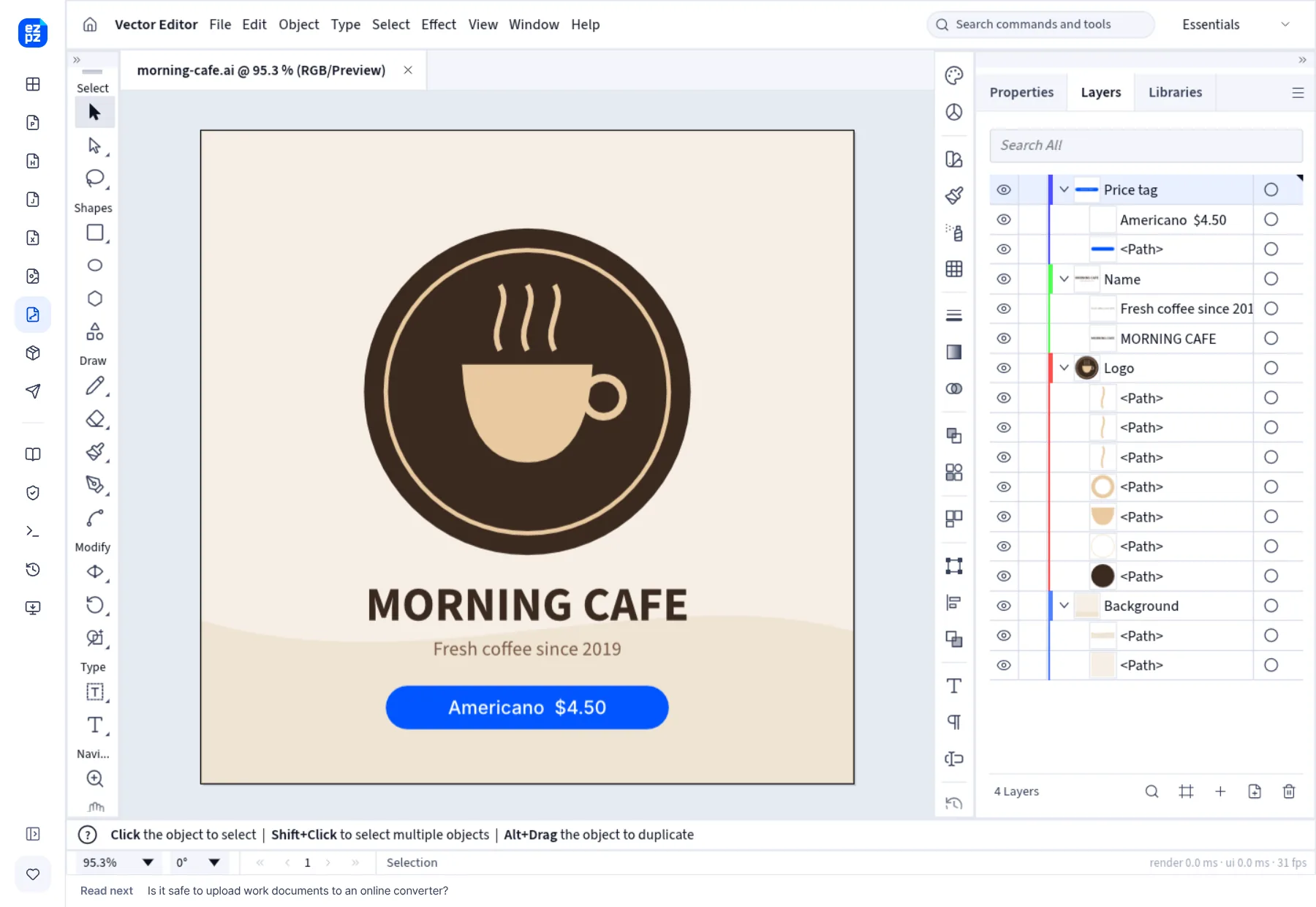
Windows has no built-in program for .ai files. Without Illustrator, the quickest route is to open it in a browser with nothing to install. Drag the file into the EZPZ Vector Editor and it opens with its layers, and after editing you can save it as AI, SVG or PDF. The file is not uploaded anywhere.
If you only need to look at it, there is another way. According to Adobe's help, Illustrator puts a PDF copy inside the .ai when "Create PDF Compatible File" is turned on during saving. So renaming the file to .pdf often lets a PDF viewer show the artwork. You cannot edit the layers this way, though, and it does not work on files without that PDF copy.
2. Only a "saved without PDF content" notice
The file was saved in Illustrator with "Create PDF Compatible File" turned off. Adobe's own help suggests turning it off to make files smaller, so some people do it on purpose. The .ai then has no PDF copy inside, and programs that read that copy show a page of notice text instead of the artwork.
There are two ways out. Ask the sender to turn the option on and save again, or open the file in an editor that reads the editing data itself. The EZPZ Vector Editor opens AI files without a PDF copy by reading Illustrator's editing data. In that case, text inside text boxes or set along a path can be left out, and the editor tells you when it opens if anything was.
3. Different Illustrator versions
If the sender uses a newer Illustrator, parts of the file can go missing or look different in an older one. Ask the sender to set "Version" to yours when saving. Adobe's help also notes that saving in a legacy format can drop some newer features, so it is worth the sender opening the down-saved file once to check.
4. Fonts look different
If a font used in the file is not on your computer, the text shows in a similar font. Illustrator may also highlight the replaced text in pink. Files saved as PDF compatible carry fonts in their PDF copy, but according to Adobe's help it may not embed every font it is allowed to.
If the exact look matters, ask the sender to include a copy with the text turned into outlines ("Create Outlines"). That text can no longer be edited, but it looks the same everywhere. If you need to edit the text, get and install the same font. A browser editor cannot read your computer's fonts, so it draws a similar one.
5. Photos are missing
Illustrator can link a photo to an outside file instead of placing it inside the .ai. Send just the .ai in that state and the photo spots come up blank, or a notice says the linked file cannot be found. Ask the sender to turn on "Include Linked Files" when saving, or to send the linked photos along. According to Adobe's help, turning on "Create PDF Compatible File" also embeds the linked files.
If you are the one sending
- Turn on "Create PDF Compatible File" when saving, so people without Illustrator can see the artwork.
- If you do not know the recipient's Illustrator version, ask and save for that version.
- Turn on "Include Linked Files" or send the photos along.
- For print files where the fonts must not change, attach a separate copy with outlined text.
We ranked the tools that open and edit AI files without Illustrator in a separate post.
Questions
- Can I open an AI file without Illustrator?
- Yes. Drag it into a browser editor such as the EZPZ Vector Editor. If you only need to look at it, a file saved as PDF compatible can also be renamed to .pdf and viewed in a PDF viewer.
- Why do I see a "saved without PDF content" notice?
- The file was saved in Illustrator with "Create PDF Compatible File" turned off, so there is no PDF copy inside the .ai. Ask the sender to turn it on and save again, or open the file in an editor that reads the editing data.
- What happens when an older Illustrator opens a newer file?
- Features that exist only in the newer version can go missing or look different. Ask the sender to save for your version.
- Can I fix fonts that look different?
- Install the same font, or get a copy from the sender with the text turned into outlines. Outlined text can no longer be edited.
- Can I convert an AI file to SVG or PNG?
- Open it in the EZPZ Vector Editor and choose SVG under "File › Save As", or PNG under "File › Export › Export As".
Last updated October 9, 2026


