
We built a PSD editor for files you get without Photoshop
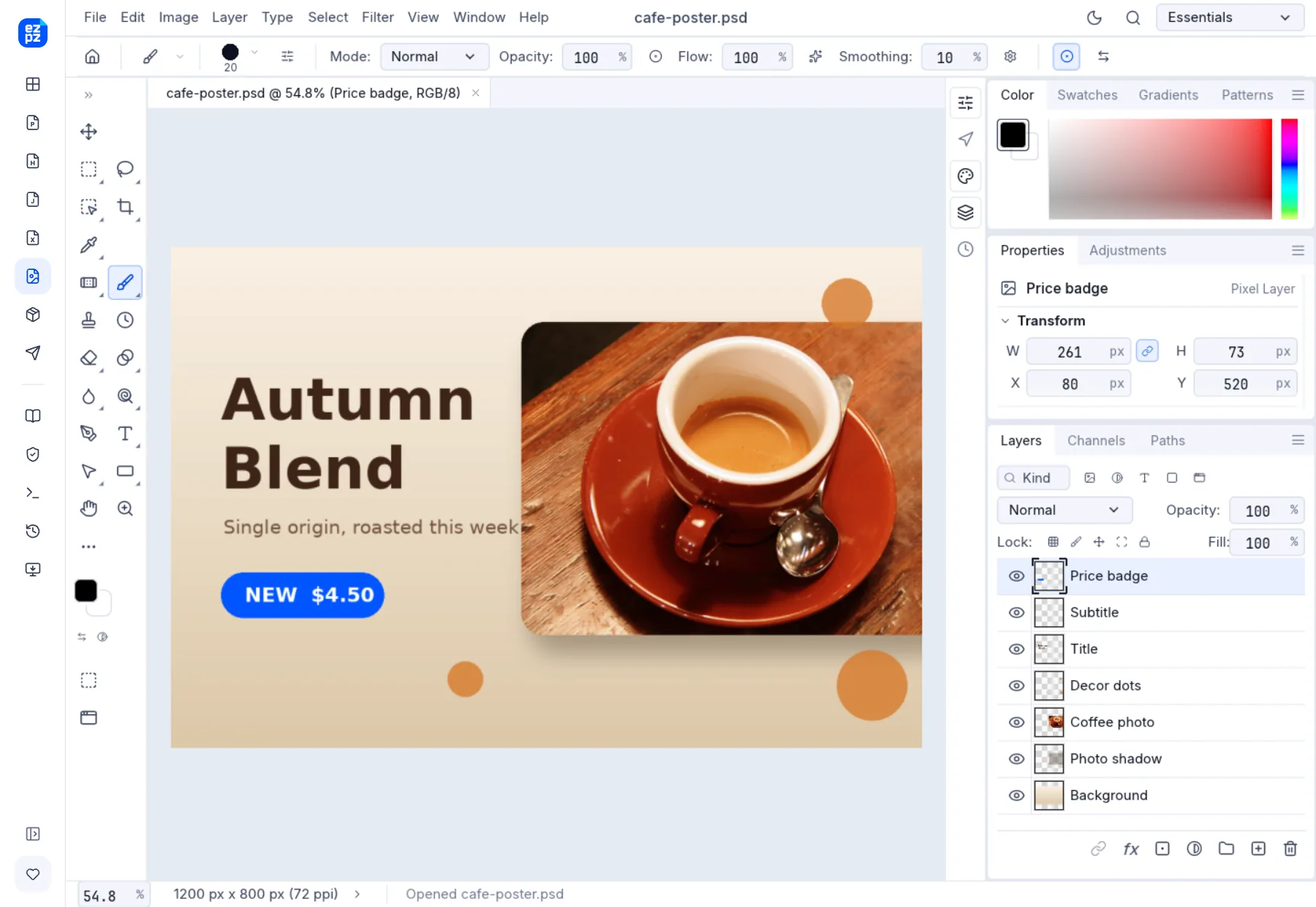
A designer sends you a .psd and one price needs changing, but there is no Photoshop on your computer. For that moment we built an editor that opens a PSD in the browser with its layers intact and saves it back as PSD.

A .psd is a Photoshop working file. Layers, masks, text and effects all stay separate, so whoever receives it can make changes on top. The trouble starts when that person has no Photoshop. The Windows Photos app and Mac Preview either refuse to open it or show it as one flat picture.
Your options without Photoshop
| Option | Good | Catch |
|---|---|---|
| Photoshop subscription | The original app, so it looks exactly right | A monthly bill for one small fix |
| Photoshop 7-day free trial | Works today | You are stuck again when the trial ends |
 Free desktop apps (GIMP and others) Free desktop apps (GIMP and others) | No cost | Work computers often block installs, and text layers may not open as text |
| A browser editor | Just open a web page | Some of them upload your file to a server |
What we made belongs to the last row, without the catch: no install, no account, and the file is not uploaded anywhere.
The EZPZ PSD Editor
Open the PSD Editor and drop the .psd on it. It is built on PhotoCraft, an open-source image editor (MIT and Apache-2.0, by the ArtCraft team), which we rebuilt with a lighter look and the hooks this site needs. The menus and shortcuts follow Photoshop.
What it can do
- Open PSD and PSB files with their layers, groups, masks, adjustment layers, layer styles and blend modes shown as they were made.
- Use the type, brush, selection and crop tools, Curves, Levels and filters, and change the image mode, image size and canvas size.
- "File › Save As" (Ctrl+Shift+S) gives you a PSD with the layers kept. "File › Export" saves one flat PNG, JPG, WebP or TIFF.
- Open photos (JPG, PNG, HEIC) and camera RAW files and save them as PSD.
- Photoshop shortcuts work: Ctrl+J duplicates a layer, Ctrl+T is Free Transform and Ctrl+M opens Curves.
How a fix goes
Where does the file go?
Your browser downloads the editor itself, then opens, edits and saves the file inside it. There is no step where the file goes to a server, which matters most for unreleased designs and client work. Keep the Network tab of your browser’s developer tools open while you load a file and you will see no request anywhere near the size of your file.
What it cannot do yet
- It does not have every Photoshop feature. PhotoCraft is still early in development, so parts of a file with complex effects can look different from Photoshop. Reopen important files after saving to check them.
- A web app cannot read the fonts installed on your computer. If a type layer uses a font the editor does not have, the text is drawn with a similar one.
- Very large files can make the browser tab stall.
- The first visit downloads about 22 MB of editor. After that it opens quickly.
- It runs in browsers on computers and tablets. Phones are blocked because the screen is too small for the panels.
Photoshop is a trademark of Adobe. This editor has no connection to Adobe; its menus and shortcuts simply follow Photoshop.
Frequently asked questions
- Can I open a PSD file without Photoshop?
- Yes. Open the EZPZ PSD Editor in your browser and drop the file on it. No install and no account.
- Can I send the fixed file back to the designer as a PSD?
- "File › Save As" downloads a PSD with the layers kept. If the file has complex effects, reopen it once before you send it.
- The fonts on a type layer look different.
- A web editor cannot read the fonts on your computer, so a font used in the PSD that the editor lacks is replaced with a similar one.
- Is my file uploaded?
- No. Everything from opening to saving happens in your browser, and the file stays on your device.
- Does it work on a phone?
- No. With this many panels the editor is blocked on phones. Open it in a browser on a computer or tablet.
Last updated October 9, 2026


