
WhatsApp backup vs export chat: what's the difference?
Most people searching for a WhatsApp backup want their chats on a new phone. That is the job of WhatsApp's own backup and restore, and this article is about something else: keeping a readable copy of a chat (Export chat) and opening that file again later on a computer. Nothing here brings back deleted messages.

In March 2026 someone on r/DataHoarder asked how to keep ten years of WhatsApp chats. They were clear about what they did not want.
I don't want a backup for the purposes of restoring to a future phone.
March 2026
That is the whole difference in one line. A backup is a sealed box: WhatsApp opens it when it restores your chats, and it is not meant for you to read. An export is a readable copy: a txt file, or a zip with the txt and the photos, that lands in your hands. The catch is that the copy cannot go back into WhatsApp.
WhatsApp backup vs export at a glance
| WhatsApp backup | Export chat | |
|---|---|---|
| What it is for | Getting your chats back on a new or reset phone | Keeping a record, or showing a chat to someone |
| Where it lives | Wherever WhatsApp keeps its backup | A file on your phone or computer |
| Can you open and read it | No, only by restoring it into WhatsApp | Yes, in a text editor or a viewer |
| Can it go back into WhatsApp | Yes, that is the point | No |
| Photos and voice notes | Restored inside the app | Only if you choose to include media |
Why a backup won't open as a file
A backup is material for WhatsApp to rebuild its own chat list, not a document. To see what is inside you have to restore it, and that is where people get nervous. In September 2026 someone on r/whatsapp wanted to look through an old backup of their own, but feared that restoring it would replace the chats they have now, so they asked for a safe, read only way in.
Our viewer does not open WhatsApp backups, and we don't know of an official way to read one outside the app. What we can say is the simple route for the future: export the chats you care about while they are still on your phone, and keep those files somewhere safe.
How to export a WhatsApp chat
| App | Where to export | What to drop in |
|---|---|---|
| Open the chat, then the ⋮ menu (Android) or the contact's name (iPhone) > More > Export chat, and choose with or without media | The txt, or the zip with _chat.txt and the media | |
| Telegram | Telegram Desktop: in a chat, ⋯ > Export chat history (one chat), or Settings > Advanced > Export Telegram data (many). Choose JSON or HTML | The folder with result.json or messages.html (zipped is fine) |
| LINE | Phone: in a chat, the ≡ menu > Settings > Export chat history. Windows or Mac: in a chat, ⋮ > Save chat | The txt |
Menu names can shift between versions. Exporting makes a copy; the chat stays in WhatsApp as it was. Do it one chat at a time, and pick Include media if you want the photos and voice notes as well.
Read the exported chat like the real app
Open _chat.txt in Notepad and you get a long run of dates, names and lines, with every photo reduced to a file name. Drop the txt or the zip into the Chat Backup Viewer and it recognises the app from what is inside and lays the chat out as bubbles. The file is read inside your browser and never leaves your device. It is read only, so nothing in the chat can be changed.
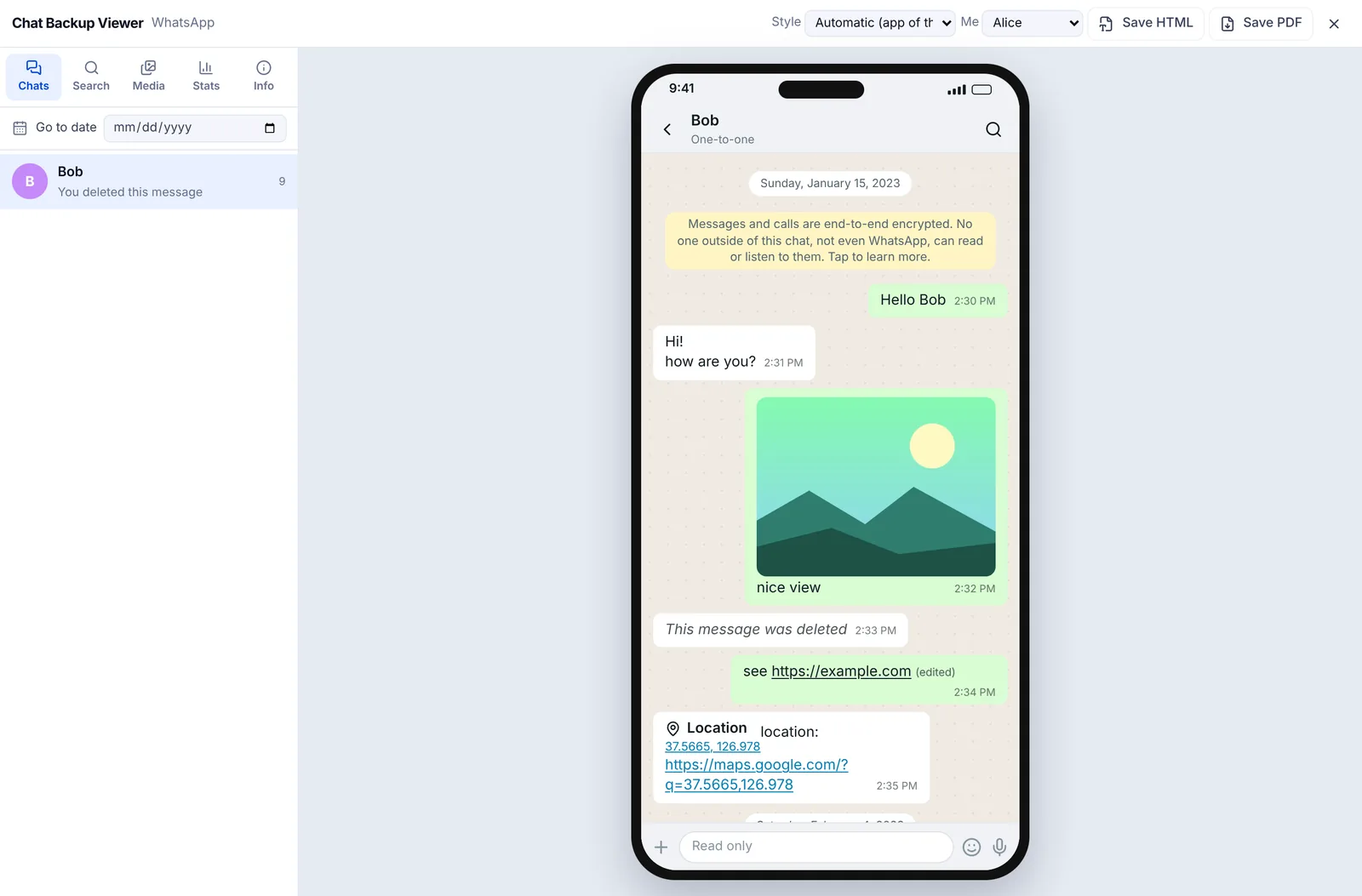
Choose your name in the Me menu at the top and your bubbles move to the right. Go to date takes you straight to a day, and the Search tab finds messages by word. No export to hand? Try a sample opens a made up chat so you can look around first.
To see photos, export with media
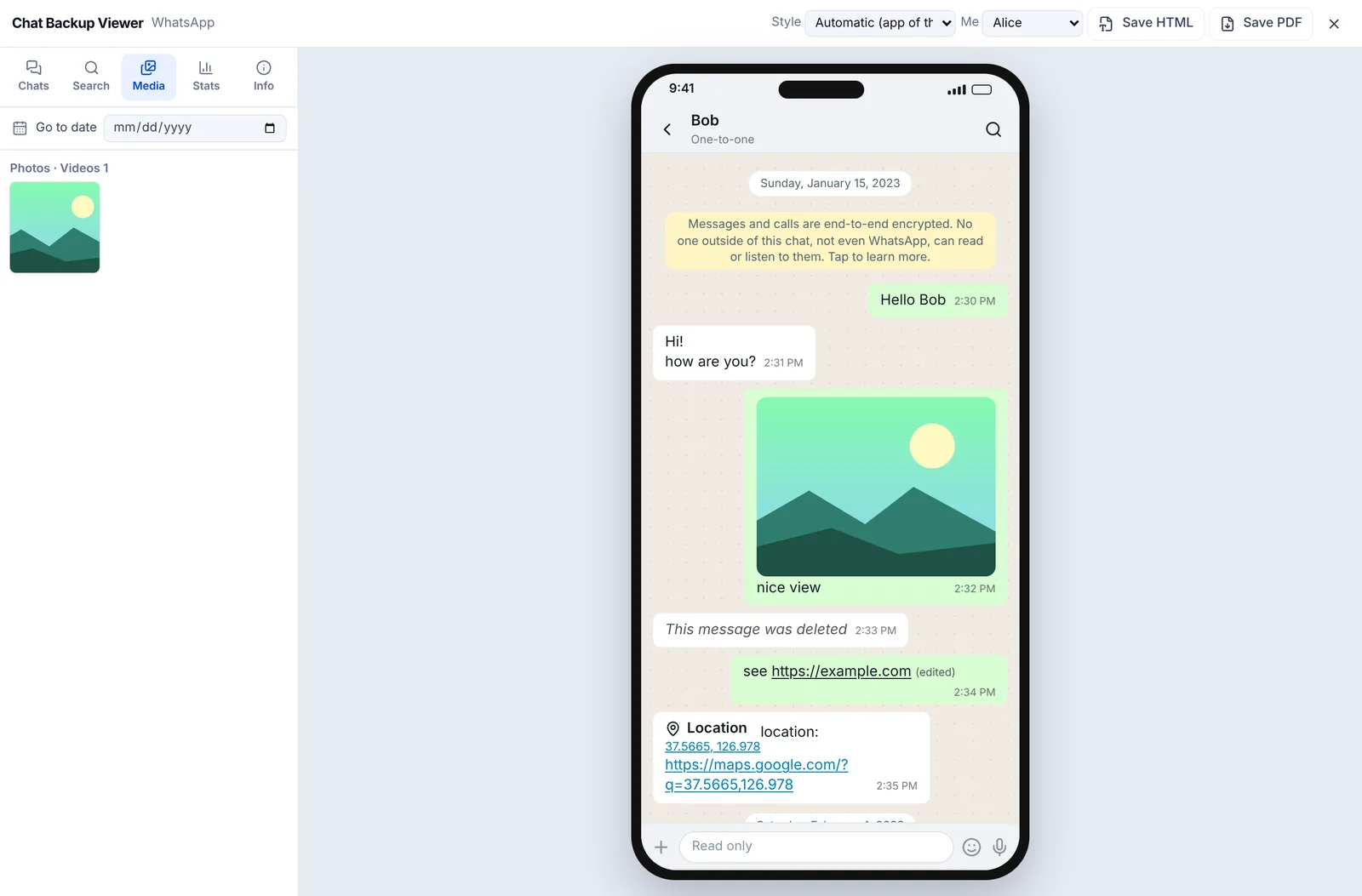
An export without media only has placeholders where the photos were. Export again with media and you get a zip holding _chat.txt and the files. Drop the zip in as it is, without unzipping it. Photos sit in the chat where they were sent, and the Media tab gathers photos, videos, voice notes and files in one place.
What this can't do
- Put an exported chat back into WhatsApp. To move to a new phone, use WhatsApp's own backup and restore.
- Recover deleted messages. A message that isn't in the file can't appear in the viewer either.
- Edit, delete or add messages. Saved HTML and PDF files say they are copies converted from the original export.
- Open WhatsApp's own backup files.
There is more on exporting from each app and opening the txt or zip in how to export a chat, and on turning a chat into pages you can print in chat to PDF.
WhatsApp is a trademark of Meta, Telegram of Telegram FZ-LLC and LINE of LY Corporation. EZPZ File is not affiliated with any of them.
Frequently asked questions
- Does exporting a chat delete it from WhatsApp?
- No. Export chat writes a copy of the chat to a file. The chat itself stays in WhatsApp.
- Can I import an exported chat back into WhatsApp?
- We don't know of an official way to do that. Treat the export as a record you keep and read; for moving to a new phone, use WhatsApp's backup and restore instead.
- Why can't I open my WhatsApp backup?
- A backup is there for WhatsApp to restore from, not for people to read, so to see it you have to restore it into the app. If you want something readable, export the chats you care about. (Source: Reddit r/whatsapp)
- I want a copy to read years from now, not to restore. What should I do?
- Export each chat with media, keep the zips somewhere safe, and open them with a viewer when you need them. The files are plain text plus photos, so they don't depend on the phone you have then. (Source: Reddit r/DataHoarder)
Last updated October 27, 2026
