
Free CAD viewers ranked: 4 ways to open a DWG (2026)
Most people who look for a free CAD viewer just need to check a DWG someone sent and print it. The questions that hold them up are the same everywhere: may I install this on a work PC, does it run on a Mac, and does my drawing end up on someone else's server. We ranked 4 free viewers on exactly that. The first one is ours, and we say so.

The question is old. Back in 2007 someone in Japan asked on Yahoo!知恵袋 how to open a DWG and an SFC file from a client when their company PC did not allow downloading any software. In Korea, a 2011 question on Naver asking whether a free CAD viewer installed on a work computer was illegal has been viewed more than 14,000 times. The file is easy to get; permission to open it is the hard part.
Up front: this was written by the people who make the EZPZ CAD Viewer, which comes first below. So the criteria come before the ranking. Everything about the other viewers comes from their official pages, support articles and terms, checked on 27 October 2026. EZPZ is the one we tested ourselves.
What we ranked on
One job: open a drawing you received, measure something, and save or print it as PDF. If you need to edit the drawing you need a CAD program, not a viewer, and the order would change.
| Criterion | What we look at |
|---|---|
| Install | Whether you must install a program. Many work PCs block installs |
| Account | Whether you must sign up or sign in |
| Where the file goes | Whether the drawing opens on your device or is sent to a server |
| Use at work | Whether the terms or official help say business use is allowed |
| Formats and tools | What opens besides DWG, and whether you can measure and save a PDF |
The ranking
1. EZPZ CAD Viewer
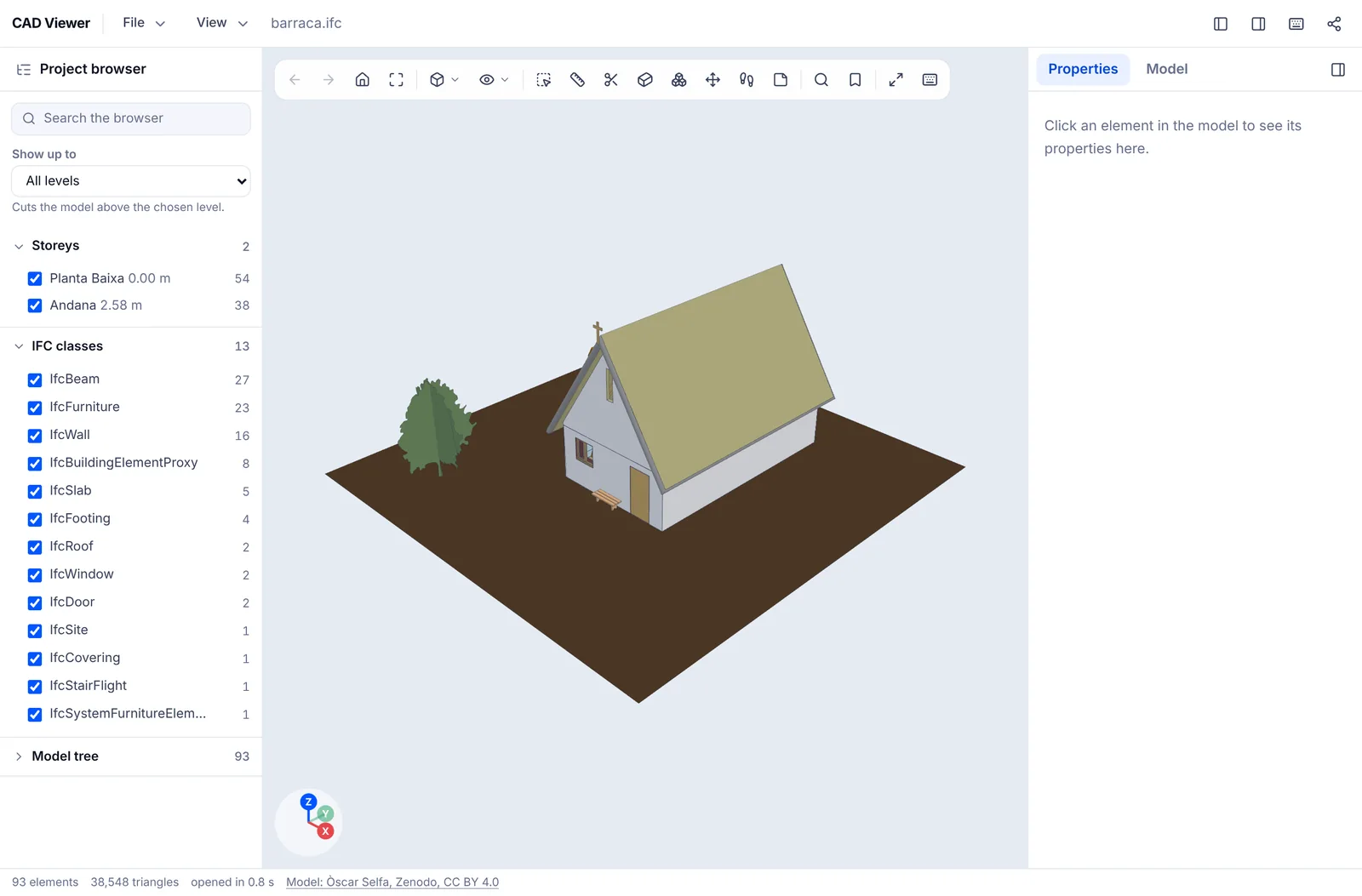
It opens in the browser with no install and no sign-up. The file is read inside your browser and never leaves your device. It reads DWG from AutoCAD 1.4 up to 2018 and later (including the old pre-R13 formats, R13 and R14), plus DXF, JWW, iCAD SX, DWFx, RVT and RFA, IFC, STEP, IGES, Inventor IPT and IAM, SXF, PCB files (Gerber, ODB++, IPC-2581), SKP, FBX, OBJ, STL, glTF and 3DS, all in one page. Drawings get model and layout tabs, a layer list, a distance tool that snaps to line ends, and PDF, PNG or SVG export of the current sheet.
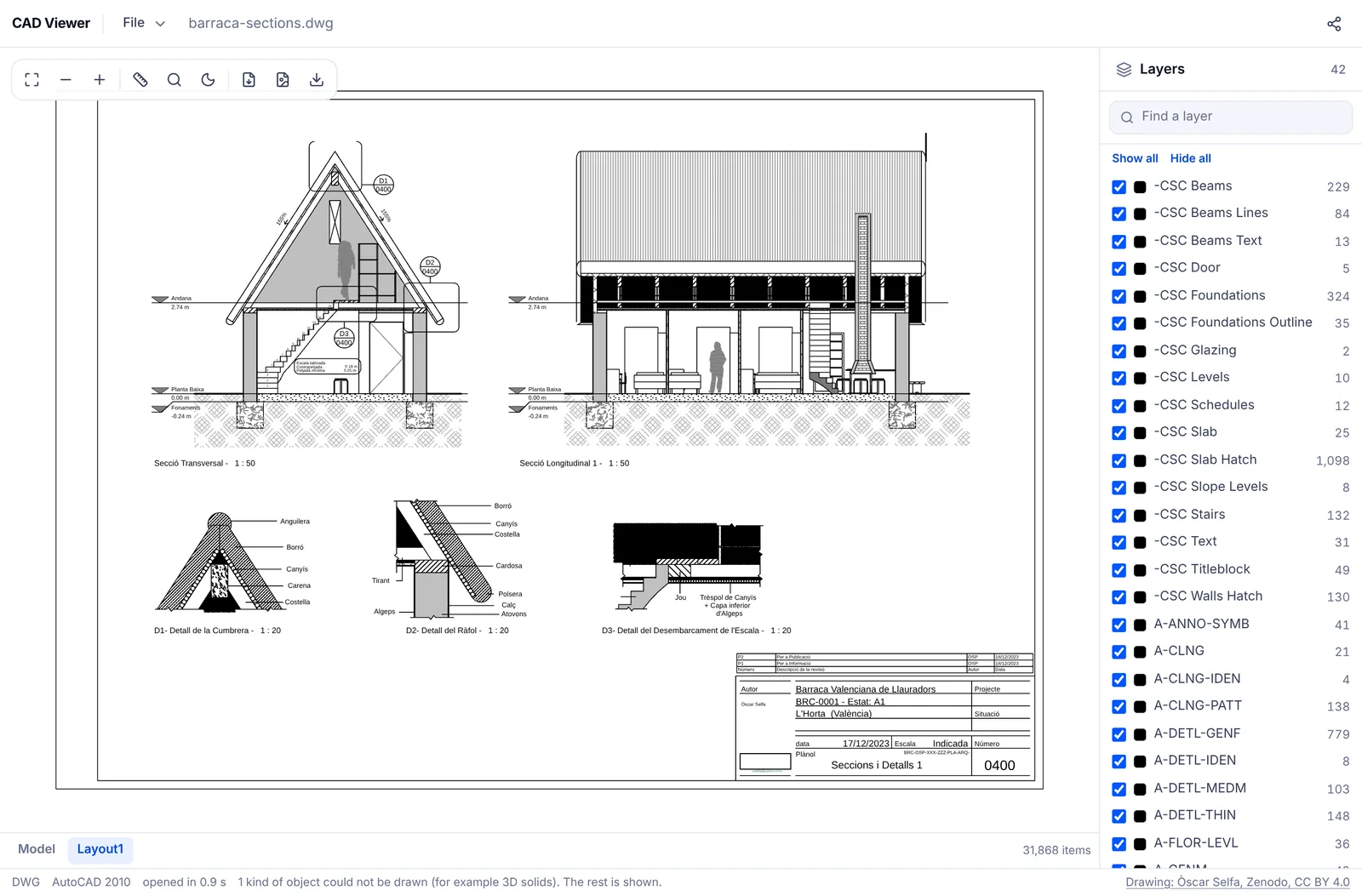
The weak points: it is read only, so it cannot edit a drawing or save it to another DWG version. 3D solids, external references, raster images, tables and password protected drawings inside a DWG are not drawn yet. A very large model can run out of memory on a phone. It is also much younger than the other tools here, and putting our own viewer first may carry our bias.
2. DWG TrueView (Autodesk)
The free viewer from Autodesk, the company behind AutoCAD. Autodesk says it opens DWG and DXF, measures, plots, creates PDFs and converts DWG files between versions. That version converter is something few free viewers offer. On use at work, an Autodesk support article states that all Autodesk viewers are free for both personal and commercial (enterprise) use. The catch: it is an installer for 64-bit Windows 11 or 10, so there is no Mac or phone version, and the product page lists about 4 GB of disk space and 8 GB of RAM.
3. Autodesk Viewer
Autodesk's free online viewer. It runs in the browser, so it works on a Mac, and Autodesk lists more than 80 file types, including DWG, RVT, IPT, STEP and SolidWorks. It has measuring, markup and share links. In exchange, the file is sent to Autodesk's servers. Each file can be up to 1 GB, and Autodesk's support article says the data is stored in the US and destroyed after 30 days unless you extend it. Some features need you to sign in.
4. ShareCAD
A free online viewer for DWG, DXF, STEP, IGES, STL, Parasolid and more, with nothing to install. The file is sent to the service to be opened, and the limit is 50 MB. The free viewer has no measuring tool and points you to a paid program instead. Most importantly, its terms of use say ShareCAD cannot be used for commercial purposes in any form, which rules it out for work drawings.
Side by side
| Tool | Install | Account | Where the file goes | Size limit | Measure | Mac and phone | At work | |
|---|---|---|---|---|---|---|---|---|
 EZPZ CAD Viewer EZPZ CAD Viewer | None | None | Stays on your device | No set limit (device memory) | Yes | Yes (also PNG, SVG) | Any browser | No sign-up needed |
| DWG TrueView | Windows installer | Not stated in official help | Stays on your device | Not stated in official help | Yes | Yes | Windows only | Free (Autodesk support article) |
| Autodesk Viewer | None | Sign-in for some features | Autodesk servers (US, 30 days) | 1 GB per file | Yes | Not stated in official help | Any browser | Free (Autodesk support article) |
| ShareCAD | None | Not stated in official help | ShareCAD servers | 50 MB | Not in the free viewer | Not stated in official help | Any browser | Terms forbid commercial use |
Filled in on 27 October 2026 from each company's official pages, support articles and terms. Where the official documents say nothing, the cell says so instead of guessing. Features and terms change without notice.
So which one?
- You can install software on a Windows PC and need to save a DWG in an older version: DWG TrueView.
- You want to share a link and trade markups with a team: Autodesk Viewer. Check that a copy on Autodesk's servers for 30 days fits your company rules.
- Your work PC blocks installs, or you are on a Mac or a phone, and you only need to check the drawing and save a PDF: a browser viewer that keeps the file on your device.
When DWG TrueView is not an option, we walk through the alternatives in view a DWG without DWG TrueView. If this is the first DWG you have ever received, start with how to open a DWG file.
For other jobs that work without creating an account, see our list of file tools that need no sign-up.
AutoCAD, DWG TrueView, Autodesk Viewer, Revit, Inventor, DWG and DWF are trademarks of Autodesk, SketchUp of Trimble, and iCAD SX of iCAD株式会社. EZPZ File is not affiliated with any of them.
Questions
- Can I use a free CAD viewer on my work computer?
- It depends on the tool. Autodesk's support article says DWG TrueView and Autodesk Viewer are free for both personal and enterprise use. ShareCAD's terms forbid commercial use. If your company does not let you install software at all, a browser viewer that keeps the file on your device avoids the install question. People have asked this for years. (Source: Yahoo!知恵袋, Naver KnowledgeiN)
- Is DWG TrueView free for commercial use?
- Yes, according to Autodesk's support article on free viewers, which says all Autodesk viewers are free for personal and commercial (enterprise) use. You still need permission to install it, and it runs on 64-bit Windows 11 or 10. (Source: Naver KnowledgeiN)
- Is there a free DWG viewer for Mac?
- DWG TrueView is Windows only. EZPZ CAD Viewer, Autodesk Viewer and ShareCAD run in a browser, so they work on a Mac. Only EZPZ keeps the file on your Mac; the other two send it to their servers.
- Can a free viewer edit the drawing?
- None of the four can. DWG TrueView can save the file to another DWG version, but it cannot change the lines. To edit, you need a CAD program.
- Which DWG versions does the EZPZ CAD Viewer open?
- AutoCAD 1.4 up to 2018 and later, including the old pre-R13 formats, R13 and R14. 3D solids, external references, raster images, tables and password protected drawings are not drawn yet.
Last updated October 27, 2026
