
What an EML file is and how to open it
Legal asks for "the original email". You save the message and get a .eml file that does nothing when you double-click it.

An EML file holds one complete email: the body, the sender and recipients, the timestamps, the attachments, and the delivery record you never normally see. It opens as soon as you drop it into a browser-based viewer, with no renaming and no Outlook. On Windows, Outlook opens it too, and on macOS the built-in Mail app does.
Why anyone uses them
A screenshot or a pasted body cannot prove the message is genuine. An EML carries the record of which servers handled it, which is what makes it usable as an original.
- Producing an email as evidence for legal or audit purposes
- Preserving a thread when a dispute arises
- Keeping a few important messages while moving between mail accounts
Opening one, with or without Outlook
| Environment | How |
|---|---|
| Windows with Outlook | Double-click the file |
| Windows without Outlook | It opens in Notepad as unreadable code. Use a viewer instead |
| macOS | The built-in Mail app handles it |
 Webmail only (Gmail, Outlook.com) Webmail only (Gmail, Outlook.com) | No obvious way to open a saved .eml from your computer |
| Android phone | Usually no app for .eml. A viewer in the phone browser works |
The webmail case is the common one. Plenty of people and small offices use only Gmail in a browser, so nothing on the computer knows what to do with an EML. A browser-based viewer fills that gap without installing anything, and the message stays on your device.
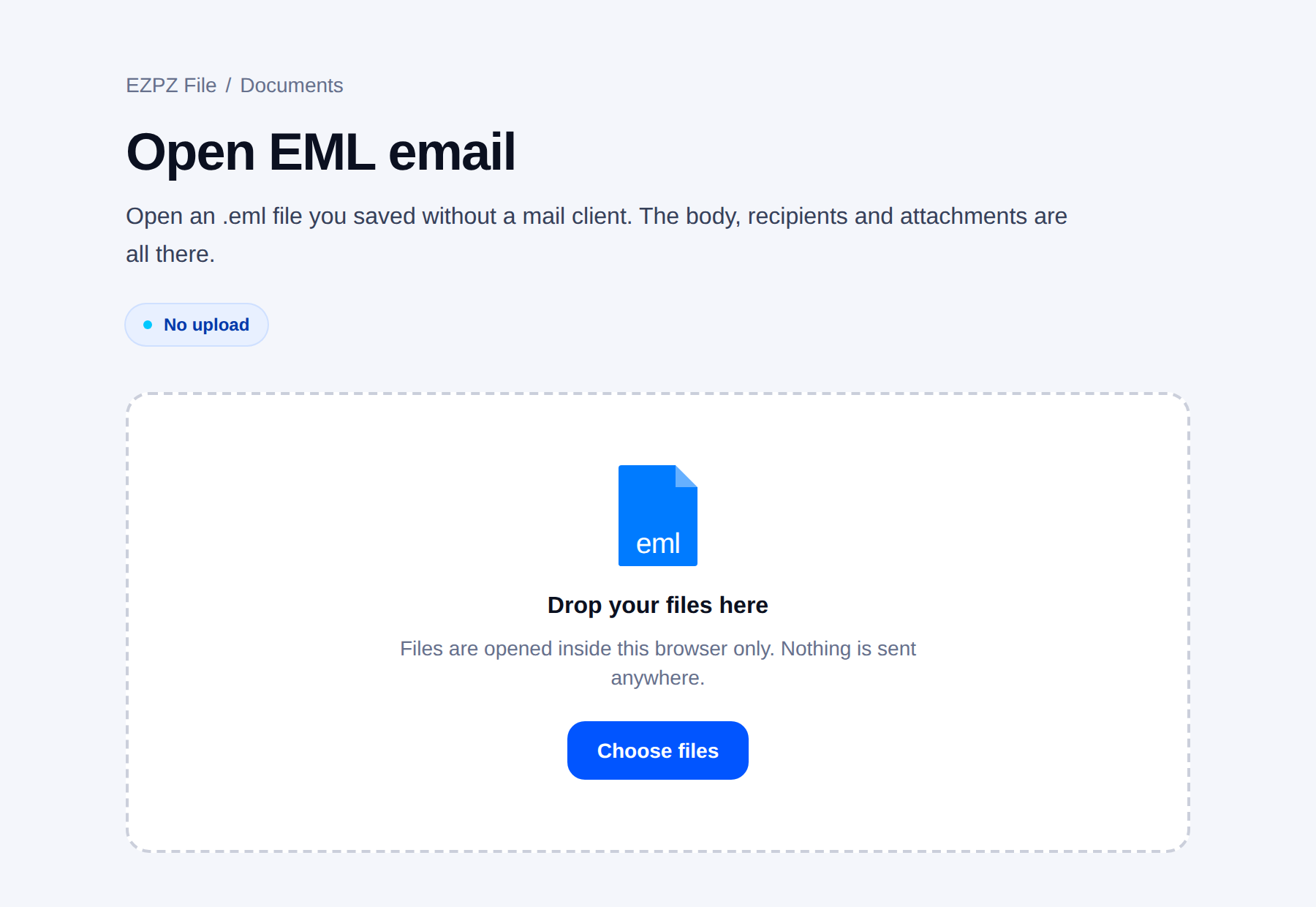
An EML contains the entire message. A tool that uploads the file sends that whole email to somebody else’s server. Worth remembering with work correspondence.
Opening an EML on an Android phone
EML files often land on a phone: an attachment inside another email, a file forwarded on WhatsApp, or a backup copied from a laptop. Android has no built-in viewer for them, and tapping the file usually ends with "no app can open this file".
Open the EML viewer in Chrome or any other phone browser, tap to choose the file from Downloads or Files, and the message opens with its sender, date and body. On a phone the list and the message are two screens, and "Back" returns to the list. Attachments can be saved one by one to the phone.
About the advice to rename it to .mht
The first answer most searches return is to rename the file to .mht. It does open: Windows treats .mht as a web document and hands it to a browser or to Word.
That trick gets you as far as reading the text. But people usually open an EML for one of two reasons (to pull an attachment out, or to confirm the original), and both are exactly what renaming blocks.
| Renaming to .mht | Online EML viewers | Browser-based viewer | |
|---|---|---|---|
| Extract attachments | No | Usually yes | Yes, saved one by one |
| Block tracking pixels | No | Varies by service | Blocked by default |
| File upload | None | The whole email goes to a server | None |
| Character encoding | Frequently garbled | Usually handled | Follows the encoding the mail declares |
There is one more cost. Renaming changes the original file. If the message may be submitted as evidence, leave it untouched.
Getting the attachments out
Attachments inside an EML are stored as encoded text, so a text editor shows only a wall of characters. You need a viewer to save them out.
Sometimes the attachment inside the email is itself a ZIP. Save it from the viewer first, then open it with the zip tool, which lists the contents and extracts them in the browser as well.
Saving an email as PDF for proof
A common reason to open an EML at all: an office, a landlord, an HR team or a lawyer wants a copy of an email as a document they can put on file. A PDF is what most people expect to receive, and it opens on any phone.
In the EML viewer, open the message, press "Save as PDF" and pick "Save as PDF" as the destination in the print window. The PDF shows what the email looked like on screen: sender, recipients, date, subject and body. Attachments are not printed into it, so save them separately and send them alongside.
- Keep the .eml as well. The PDF drops the hidden delivery record, and that record is what shows which servers handled the message.
- Do not edit anything before saving. A PDF of a changed email is no longer a copy of what you received.
- If several emails form one thread, open them together and use "Save all as PDF" to get them in a single file.
- Whether a printout is enough is up to whoever asked for it. Ask them if they want the PDF, the .eml, or both.
Reading a whole batch at once
Sometimes it is not one message. You exported a whole mail folder, legal or accounting sent over a ZIP full of emails, or you backed up your mail as .eml files years ago. Opening them one at a time gets old fast.
Drop several .eml files on the EML viewer at once, pick a folder with the "Choose folder" button, or drop a ZIP with .eml files inside (no need to unzip it), and the viewer turns into a mailbox. The list on the left shows sender, subject, first line, date and attachment count; click one and it opens on the right. On a phone the list and the message are two screens, and "Back" takes you to the list.
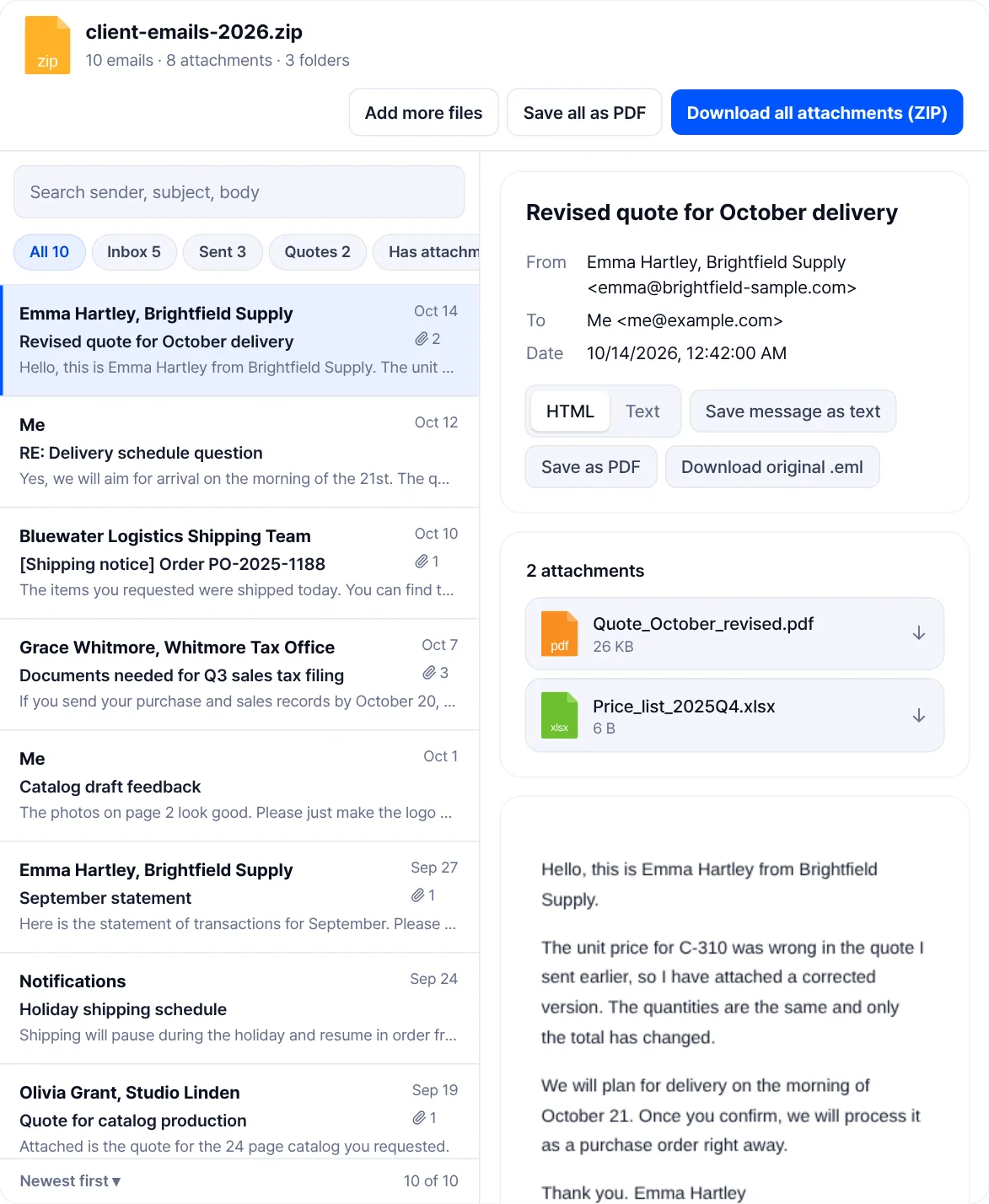
One search box covers sender, subject and body. Folders inside the ZIP or the dropped folder show up as filter chips, and "Has attachments" narrows the list to mails that carry files. Sort by "Newest first" or "Oldest first". "Save all as PDF" puts every mail in the current list into one PDF through the print dialog, and "Download all attachments (ZIP)" gives you one ZIP with a folder per mail. Each mail can still be saved on its own as PDF, as text or as the original .eml. Up to 1,000 emails open at once, and Outlook .msg files are not supported.
Storing them
- Put the date and sender in the filename. An EML tells you nothing from its name alone.
- One file per message, so a thread becomes several files. Number them in order.
- The personal data in the message is stored with it. Mind where the files live.
- .msg is an Outlook-only format and is not the same thing. Recipients may not be able to open it.
Common questions
- How do I convert EML to PDF?
- Open the file in the EML viewer, press "Save as PDF" and choose "Save as PDF" in the print window. For many emails at once, drop them all and use "Save all as PDF". The PDF does not carry the hidden delivery record, so keep the .eml too.
- Can I open EML on Android?
- Not with a built-in app on most phones. Open the EML viewer in your phone browser and choose the file; the message and its attachment list open on the phone itself.
- What is the difference between EML and MSG?
- EML is a standard format many programs read. MSG is Outlook-specific and awkward without Outlook.
- Why is it unreadable in a text editor?
- Attachments and formatting are stored as encoded text. A viewer turns it back into something readable.
- Can the sender be faked?
- The display name can be. That is why the delivery record matters: it is considerably harder to forge.
- Can several messages go in one file?
- The MBOX format does that, though fewer tools handle it. If you only want to read through many .eml files, drop them, their folder or a ZIP of them on the EML viewer and they open as a mailbox.
Last updated October 14, 2026 · Accurate as of October 2026.


