
DWG file won't open: find the cause, then the fix
When a DWG won't open, it is almost always one of a few things: the version does not match, it is still inside a zip, it is not really a DWG, it is damaged or password protected, or it is too big for the device. What you see on screen tells you which, and each one has a different fix.

The same questions turn up in every language. On Korea's Naver, one person upgraded from AutoCAD 2022 to 2025 and found old drawings would no longer open. Another sent a DWG that opened fine on their own machine, only to hear the partner firm could not open it because of the version. On Japan's Yahoo! Chiebukuro, someone received a password protected DWG and was stuck. They all look like CAD problems, but the causes are different.
We can add one more source: our own logs. When we grouped the real cases where the EZPZ CAD Viewer could not open a DWG, they fell into four groups. Very old DWG files (R12 and earlier) that it could not read at the time, archives dropped in without extracting them first, files that were not CAD at all, and large files that ran out of memory. The old DWG support has since been fixed.
First, look at what you see
| What you see | Cause | What to do |
|---|---|---|
| A message that it was made in a newer version | The sender saved in a newer format than your CAD | Ask for an older format, or use a viewer |
| Only very old drawings fail | Your program cannot read pre R13 formats | Use a viewer that reads old formats |
| The name ends in .zip, .7z or .rar | It is an archive | Extract it, then open the .dwg inside |
| Named .dwg but reported as not a DWG | Another format, or a renamed file | Ask the sender what it really is |
| Could not be read to the end, or damaged | Partly downloaded or corrupted | Download again, or use CAD's repair command |
| Asks for a password | A password protected drawing | Ask for a copy saved without the password |
| Freezes, or says it is too large | The device ran out of memory | Use a computer and close other tabs |
1. The version does not match
AutoCAD's DWG format has changed over the years, and an older program cannot open a newer format. But Autodesk says AutoCAD 2019 through 2026 all still save in the AutoCAD 2018 format. So moving from 2022 to 2025 does not explain a drawing that will not open. Check the archive, damage and wrong format sections below first.
| Version code in the file | AutoCAD releases using it |
|---|---|
| AC1009 | Release 11 and 12 |
| AC1012 | Release 13 |
| AC1014 | Release 14 |
| AC1015 | 2000, 2000i, 2002 |
| AC1018 | 2004, 2005, 2006 |
| AC1021 | 2007, 2008, 2009 |
| AC1024 | 2010, 2011, 2012 |
| AC1027 | 2013 to 2017 |
| AC1032 | 2018 and later |
If the other side really does have an older AutoCAD, the sender can pick an older file type in Save As. Autodesk also describes DWG TrueView, its free program, as able to convert drawings to work with older versions of AutoCAD.
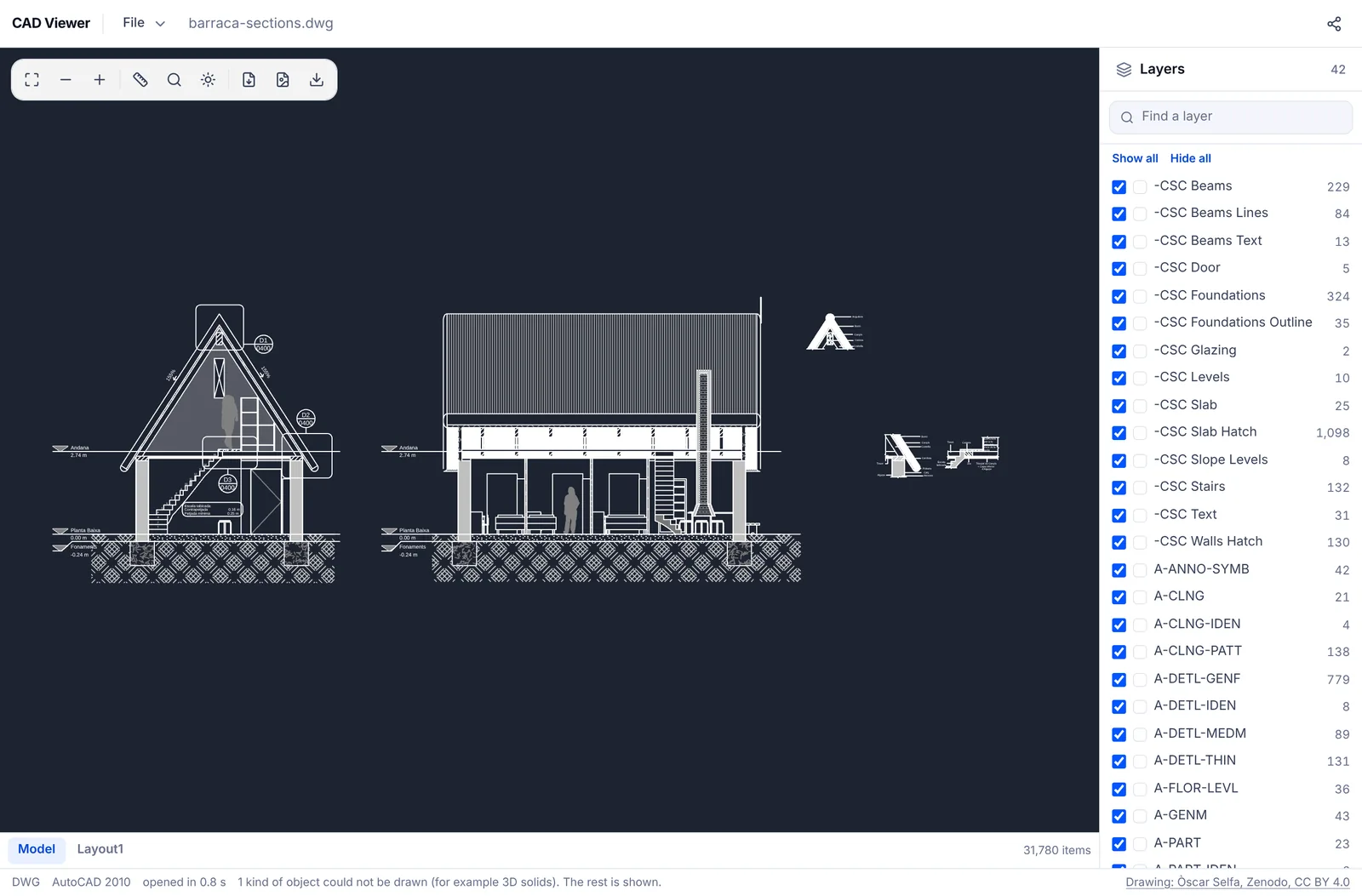
If you only need to look, the version does not matter. The EZPZ CAD Viewer opens DWG files from AutoCAD 1.4 up to 2018 and later in your browser, on Windows, Mac or a phone. Once a file is open, the status bar at the bottom shows which version it was saved in, so you know what to ask the sender for.
2. A very old DWG
Some archived drawings are in formats from before R13, and newer programs and viewers do not always open them. Ours could not at first. It now reads pre R13 files as well as R13 and R14. Those oldest files store no units, so they are read as mm, and their 3D objects are drawn flat in plan.
3. It is still inside an archive
Drawing sets often arrive as a single .zip, .7z or .rar. Dropping the archive itself into CAD or a viewer will not open the drawings. Extract it first with Extract ZIP, 7z, RAR, which works in your browser with nothing to install, then open the .dwg on its own. If the archive itself refuses to open, see our guide for when a zip won't extract.
4. It is not a CAD file at all
Sometimes the "drawing" is really a PDF or an image. Our viewer recognises the format from the contents, not the extension, so a file that is only named .dwg is reported as not looking like a real DWG. Turn on file name extensions in File Explorer, or Get Info on a Mac, check the real ending, and ask the sender what they meant to send.
5. Damaged or partly downloaded
An interrupted download leaves a file with its end missing. Ask the sender for the original size, compare, and download again. If you have AutoCAD, Autodesk's help describes the RECOVER command for repairing a damaged drawing, and renaming the .bak file in the same folder to .dwg opens the previous save.
6. Password protected
Autodesk says the ability to add passwords to drawings was removed starting with AutoCAD 2016 based products, but files protected before that are still around. Our viewer cannot open them either. Ask the sender for a copy saved without the password.
7. Too big for the device
A drawing with hundreds of thousands of lines uses a lot of memory. If it freezes on a phone, try a computer and close other tabs and programs. If you see a message that the file is too large to open in the browser, ask for only the sheets you need.
It opened, but parts are missing
The viewer does not yet draw 3D solids (ACIS), external references, raster images or tables. When a drawing has them, the status bar says how many kinds of object could not be drawn, and the rest shows as normal. Externally referenced drawings have to be sent along with the main file. For other ways to open DWG without AutoCAD, see how to open a DWG file and our ranking of free CAD viewers.
AutoCAD, DWG and DWG TrueView are trademarks of Autodesk. EZPZ File is not affiliated with Autodesk.
Common questions
- I upgraded AutoCAD and old DWG files won't open
- AutoCAD 2019 through 2026 use the same 2018 format, so check for other causes first: an archive, a damaged download or the wrong file type. (Source: Naver KnowledgeiN)
- The other company says the version doesn't match
- If their AutoCAD is older, save the drawing again with an older file type in Save As. If they only need to view it, a browser viewer opens it whatever the version. (Source: Naver KnowledgeiN)
- How do I find out which version a DWG is?
- Open it in the EZPZ CAD Viewer. The status bar at the bottom shows the format, for example AutoCAD 2010.
- Can I open a password protected DWG?
- Not in this viewer. Ask the sender for a copy saved without the password. (Source: Yahoo! Chiebukuro)
- Can a damaged DWG be repaired?
- A partly downloaded file cannot get its missing part back, so download it again. With AutoCAD you can try the RECOVER command or the .bak file. Our viewer is read only and does not repair files.
Last updated October 27, 2026

