
How to open a DWG file without AutoCAD
Most people searching for how to open a DWG file have just received a drawing by email or chat and have no CAD program. They do not want to edit it; they want to look at it or print it. Here are the three ways to open one, the steps to open it in the browser and save a PDF, and what to check when it will not open.

A question from Japan sums it up. In 2017 someone posted on Yahoo!知恵袋 that they had received a DWG for the first time, tried Jw_cad and DWG TrueView, and could open it with neither, when all they needed was to check it and print it. It has been viewed 4,458 times. In Korea, a 2022 question on Naver about opening a drawing sent through KakaoTalk passed 7,500 views.
What a DWG file is
DWG is the format AutoCAD saves drawings in. Besides lines and text it holds layers, dimensions, blocks and the layouts set up for printing, all in one file. Unlike a photo or a PDF, no app on a normal computer opens it, so double clicking does nothing or just asks you to choose an app.
Three ways to open a DWG
| Way | Example | Install | Can edit | Good for |
|---|---|---|---|---|
| CAD program | AutoCAD and others | Install, usually paid | Yes | People who change drawings |
| Free desktop viewer | DWG TrueView | Windows install | No (can save to another DWG version) | Windows PCs where you may install software |
| Browser viewer | EZPZ CAD Viewer, Autodesk Viewer | None | No | Macs, phones, work PCs that block installs |
Browser viewers differ in where the file goes. Autodesk Viewer sends it to Autodesk's servers to open it; the EZPZ CAD Viewer reads it inside your browser and never sends it anywhere. Our free CAD viewer ranking compares them in a table.
Open it in the browser, step by step
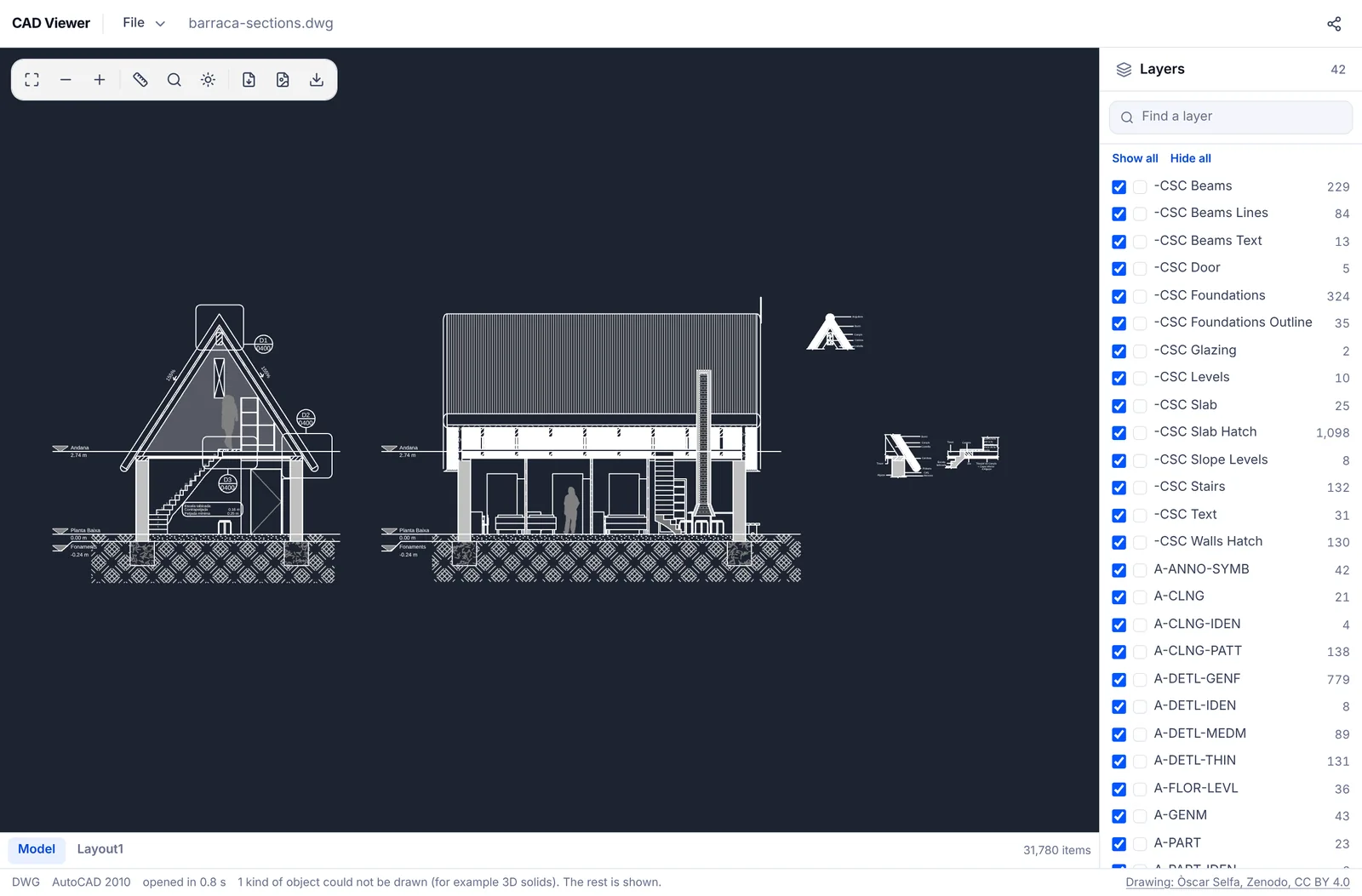
Open the EZPZ CAD Viewer and drop the DWG onto the page. After a moment model space opens on a dark background with the layer list on the right. Drag to pan, scroll to zoom, and press F to fit the whole drawing again. No file at hand? Pick DWG under Try a sample.
On a phone
Phones have no built-in app for DWG. Save the file from your email or chat app to the phone first, open the CAD Viewer in Safari or Chrome, press Open File and choose it. One finger pans and two fingers zoom; layers are under the Layers button. A very large drawing can run out of memory on a phone, so open those on a computer.
Print it or save a PDF
For printing, pick a layout in the tabs at the bottom. A layout already has the border and title block arranged as it should print. The PDF button saves the sheet you are looking at as a PDF, which you then print as usual. You can also save PNG for sending as a picture, or SVG if you want the lines in another program.
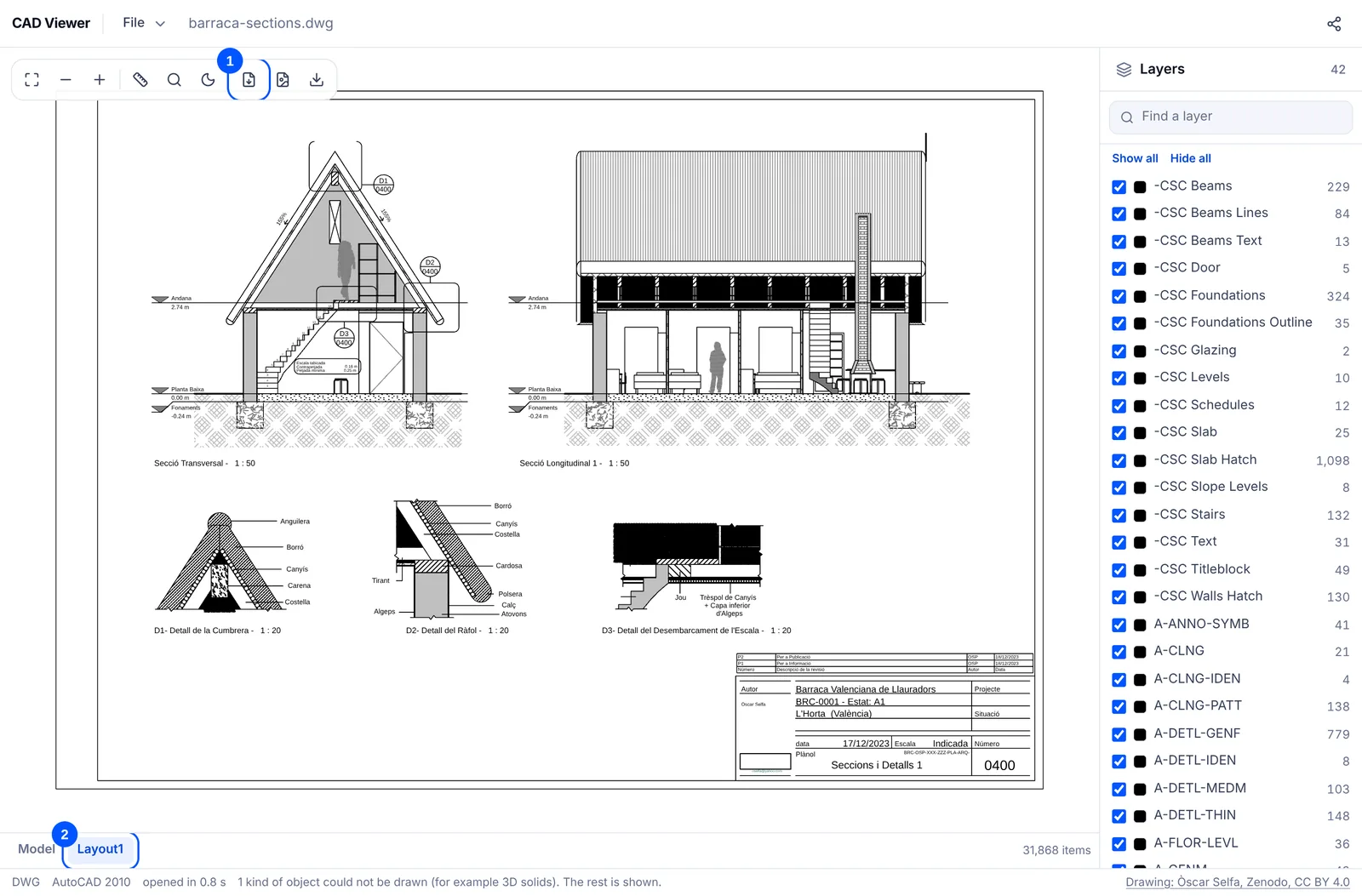
If you save model space, switch to the light background with the sun button first. Turn off the layers you do not need and the PDF comes out exactly as you see it.
When it will not open
- If the DWG came in a zip or other archive, extract it first and open just the DWG.
- DWG version: the EZPZ CAD Viewer opens AutoCAD 1.4 up to 2018 and later. If yours still is not read, ask the sender to save it in another version or as DXF.
- Password protected drawings do not open. Ask for a copy without the password.
- A .dwf file is not a DWG. Classic DWF files do not open; DWFx files do.
- If you see a message that the file could not be read to the end, it may be damaged or only partly downloaded. Get it again.
Our archive tool extracts zip files in the browser with nothing to install.
Our guide to a DWG that won't open lists each cause with its symptoms. If what you need is a way round DWG TrueView, see view a DWG without DWG TrueView.
AutoCAD, DWG TrueView, Autodesk Viewer, DWG and DWF are trademarks of Autodesk, and KakaoTalk of Kakao. EZPZ File is not affiliated with either company.
Questions
- Can I print a DWG without AutoCAD?
- Yes. Open it in the EZPZ CAD Viewer, pick a layout tab, save it as PDF, and print the PDF. There is nothing to install and no account. (Source: Yahoo!知恵袋)
- Why won't Jw_cad open my DWG?
- Jw_cad's own format is JWW. Its official update history mentions reading and writing DXF and SXF, but we found no mention of opening DWG directly. Use a viewer that reads DWG. (Source: Yahoo!知恵袋)
- Can I open a DWG on my phone?
- Yes. Save the file to the phone, open the CAD Viewer in Safari or Chrome and choose it with Open File. No app to install. (Source: Naver KnowledgeiN)
- Can I edit the DWG?
- Not with the EZPZ CAD Viewer, which is read only. Editing needs a CAD program.
- Is my file sent to a server?
- Not with the EZPZ CAD Viewer. Reading and drawing happen inside your browser.
Last updated October 27, 2026

