
How to view a DWG without DWG TrueView
Search for an AutoCAD viewer and you land on DWG TrueView. It is a good free program, but it has to be installed on Windows. That leaves out Macs, phones, and work PCs where you cannot install anything. Here is how to open a DWG in the browser instead, look at layers and layouts, measure, and save a PDF.

The same wall shows up in very different places. In 2014 someone in Japan asked on Yahoo!知恵袋 what to do after being told to work through 500 DWG drawings on a Mac. In 2022 someone in Korea asked on Naver why a DWG from a file sharing site only showed an unsupported format message on their iPhone. Neither wanted to edit anything. They only needed to see the drawings.
What DWG TrueView is
It is Autodesk's free DWG viewer. Autodesk says it opens DWG and DXF, measures, plots, creates PDFs and converts DWG files between versions. If you are wondering whether your company may use it, an Autodesk support article says all Autodesk viewers are free for both personal and commercial (enterprise) use. So the licence is not the problem.
The install is. The product page lists 64-bit Windows 11 or 10, 8 GB of RAM and about 4 GB of disk space.
Where it stops working
| Situation | Why TrueView does not help | What to use instead |
|---|---|---|
| Your work PC blocks software installs | TrueView is an installer | A browser viewer with nothing to install |
| You are on a Mac | TrueView is Windows only | A browser viewer |
| The file came to your iPhone or Android phone | Phones have no built-in app for DWG | A viewer that opens in the phone's browser |
| Your laptop is old | It needs 8 GB of RAM and about 4 GB of disk | A browser viewer |
| You must save the DWG in another version | Browser viewers only display | Find a Windows PC where you can install TrueView |
Open the DWG in your browser
The EZPZ CAD Viewer reads the DWG inside your browser. There is no sign-up and the file never leaves your device, which matters when drawings are not allowed to leave the company. Safari, Chrome or Edge on a Mac, a Windows PC or a phone all get the same page.
No file yet? Pick DWG under Try a sample to see how it works. The format is recognised from what is inside the file, not from the extension. DWG files from AutoCAD 1.4 up to 2018 and later open, including the old pre-R13 formats, R13 and R14.
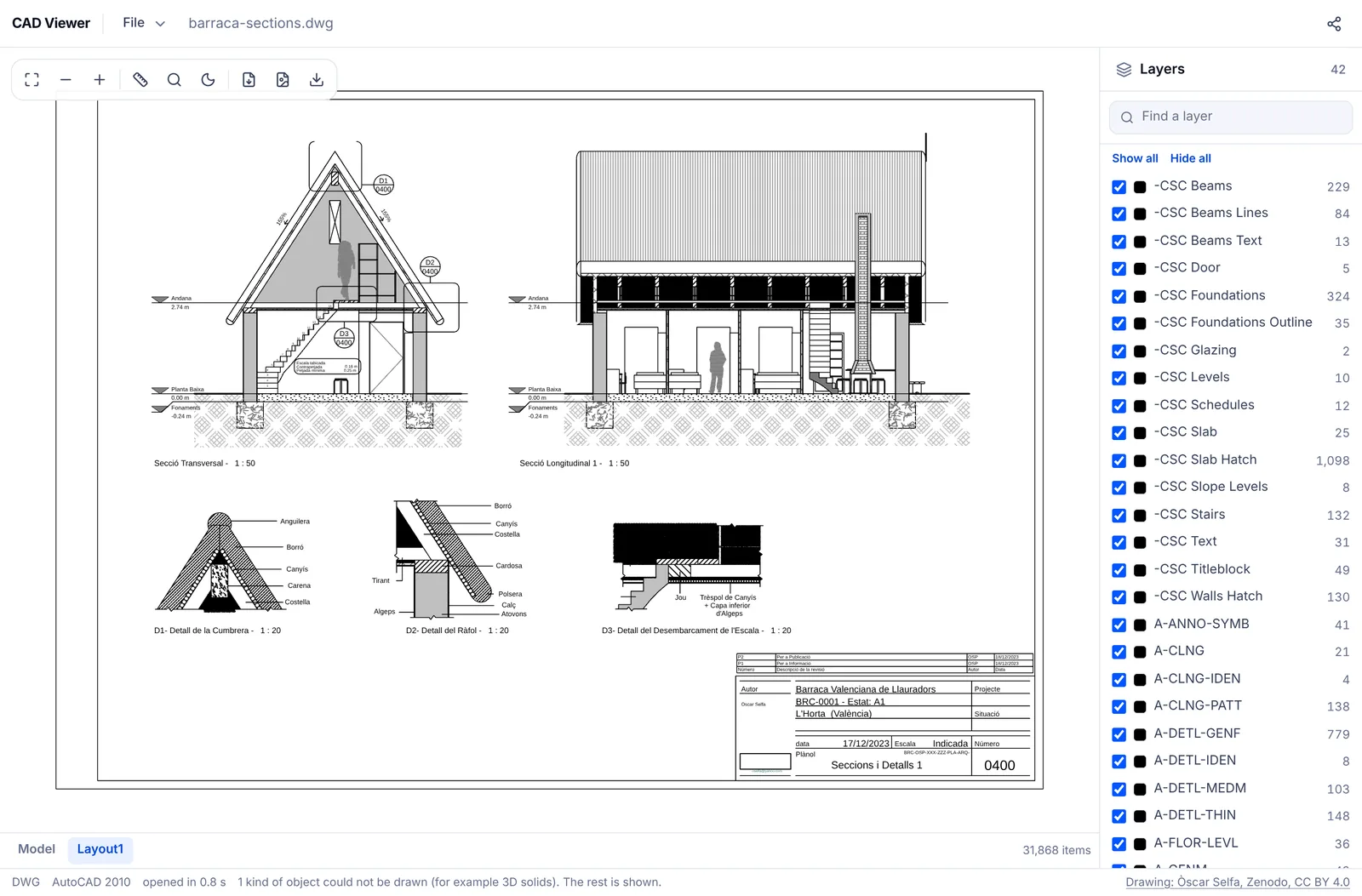
Layers, layouts, measuring and PDF
Model and layouts
Tabs along the bottom list Model and each layout. Model space opens on a dark background, as CAD programs show it, and the sun button switches to light. Layouts are drawn with the model inside their viewports.
Layers
The list on the right shows each layer with its object count, starting with the on and off state saved in the file. Tick boxes switch them, and there are Show all, Hide all and a layer search.
Measure
Press the ruler button or M, then click two points. The distance appears in millimetres and metres, and points snap to line ends and circle centres. Find text (Ctrl+F) locates room names or drawing numbers.
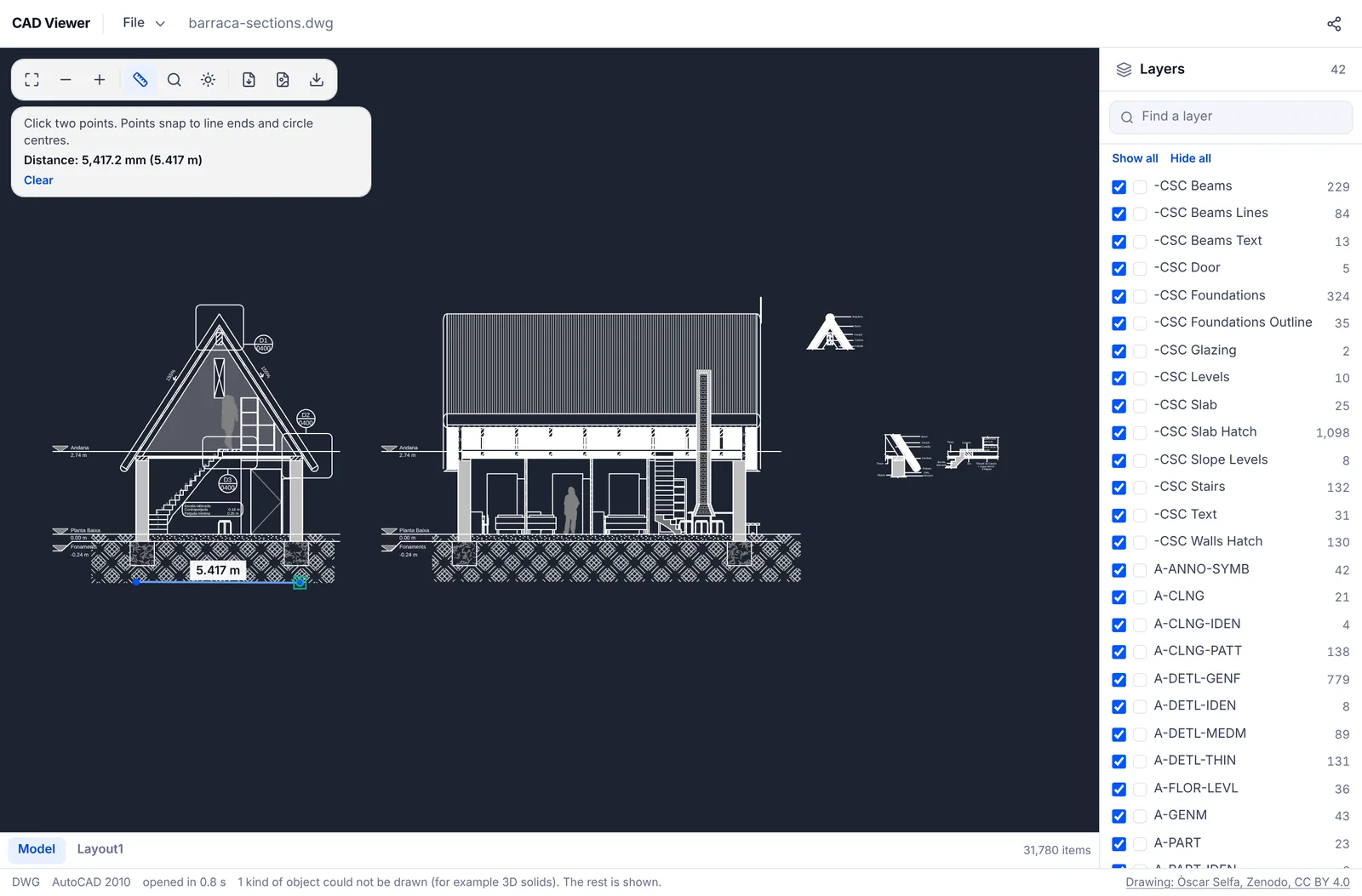
Save as PDF
Save the sheet you are looking at as PDF, PNG or SVG, then print the PDF or send it on. If what you really needed was a way to turn a DWG into a PDF on a Mac, you are done at this step.
What it cannot do
- It is read only. It cannot edit the drawing or save it to another DWG version; for version conversion, TrueView is the right tool.
- 3D solids (ACIS), external references, raster images and tables inside a DWG are not drawn yet. The status bar says what kind of object was skipped.
- Password protected drawings do not open.
- Classic DWF (W2D) files do not open; DWFx files do.
- Very large drawings can run out of memory on a phone, so a computer is safer.
For a side by side look at free viewers and what their terms say about work use, see the free CAD viewer ranking. If this is your first DWG, how to open a DWG file goes step by step.
AutoCAD, DWG TrueView, DWG and DWF are trademarks of Autodesk. EZPZ File is not affiliated with Autodesk.
Questions
- Does DWG TrueView run on a Mac?
- No. DWG TrueView is for Windows. On a Mac, use a viewer that opens in the browser; the EZPZ CAD Viewer also saves the sheet as PDF. (Source: Yahoo!知恵袋)
- Can I open a DWG on my iPhone?
- iPhones have no built-in app for DWG. Open the EZPZ CAD Viewer in Safari, press Open File and pick the DWG; it opens inside the browser. Drag with one finger to pan and pinch to zoom. (Source: Naver KnowledgeiN)
- Is DWG TrueView free for companies?
- Autodesk's support article on free viewers says all Autodesk viewers are free for personal and enterprise use. If your PC blocks installs, that does not help, and a browser viewer is the way round it. (Source: Naver KnowledgeiN)
- Does a browser viewer send my drawing to a server?
- The EZPZ CAD Viewer does not. Reading and drawing happen entirely in your browser. Many other online viewers do send the file to their servers, so check each service's help pages.
- Can I save the DWG in an older version?
- Not with the EZPZ CAD Viewer, which is read only. According to Autodesk, DWG TrueView includes a DWG version converter.
Last updated October 27, 2026
