
What is an HWPX file?
Someone in Korea sends you a file ending in .hwpx and nothing on your computer will open it. This page explains what HWPX is, how it differs from the older .hwp, why you are seeing more of it, and what to do when you just need to read it or send it back.

Short answer: both are documents from Hangul (한글), the word processor made by Hancom that most of the Korean government and a lot of Korean schools and companies use. They hold the same kind of content. They store it in completely different ways, and HWPX is the newer, open one.
If you have never met either format and just have an .hwp file in front of you, start with our explainer on HWP, then come back here.
What is an HWP file, and how do you open it without Hancom?
Why you are suddenly getting .hwpx files
For decades, a Korean document meant an .hwp file. That is changing. Since May 2026, document systems at Korean public institutions have been restricting .hwp attachments in favour of .hwpx. Anything that has passed through a public office is now more and more likely to reach you in the new format, and the companies and schools that deal with those offices are following.
When the news was posted to r/Living_in_Korea, the subreddit where foreigners in Korea swap advice about daily life, one reply, upvoted more than 40 times, summed up the reaction in two beats: relief that .hwp files were finally going away, then the realisation that the replacement is .hwpx.
That second beat is the right reaction. Phasing out HWP does not mean phasing out Hangul. An .hwpx file is still a Hangul document, made by the same Hancom software, and Microsoft Word and Google Docs still do not open it with their built-in features. If you were hoping the change would mean everything arrives as .docx or PDF, it will not. What changes is what is inside the file, and that turns out to matter.
Same document, different container
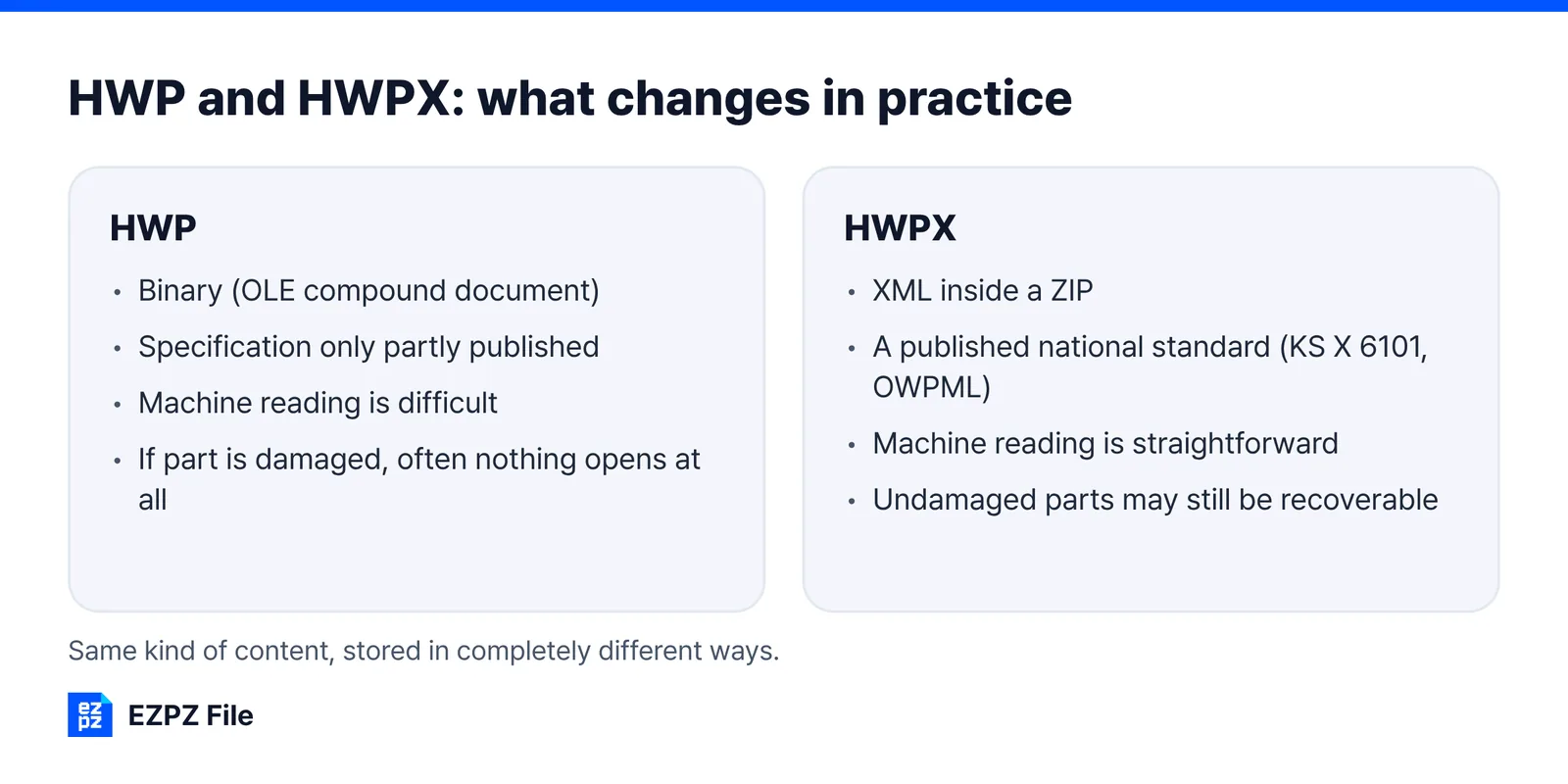
HWP 5.0 is a binary format. Paragraphs, character styles, tables and pictures are all packed into one file as numbers a program reads. It uses an old Microsoft structure called an OLE compound document, and you need software that knows the layout to see inside.
HWPX writes the same content as a set of XML documents and zips them together. XML is tagged text: open it in a text editor and a person can read it. The structure is published as a Korean national standard, KS X 6101, also known as OWPML.
Rename it to .zip and see for yourself
Copy an HWPX file, change the extension to .zip, and unpack it. You get folders and XML files. Open Contents/section0.xml in a text editor and the body text is sitting there between tags. A real HWPX we opened for this article contained:
- mimetype: a single line reading application/hwp+zip, which is how software recognises the file.
- Contents/header.xml: the fonts and the paragraph and character styles.
- Contents/section0.xml: the body text and tables. Documents with several sections have section1.xml and so on.
- Preview/PrvText.txt and Preview/PrvImage.png: a plain-text preview and a thumbnail of the first page.
- META-INF, settings.xml and version.xml: bookkeeping for the package.
Work on a copy, not the original. Renaming back restores it, but unpacking and rezipping can break the structure if the archive is rebuilt differently.
Try the same thing with an HWP file and your archive tool will not recognise it. That difference is most of this article. It is also a quick test when a file will not open anywhere: if a renamed .hwpx copy will not unpack either, it is either an old .hwp that someone renamed or a download that arrived damaged, and asking the sender to save it again is faster than trying more programs.
What changes in practice
| HWP | HWPX | |
|---|---|---|
| Internal structure | Binary (OLE compound document) | XML inside a ZIP |
| Specification | Only partly published | A published national standard (KS X 6101, OWPML) |
| Support in other software | Hard to build | Can be implemented from the standard |
| If part of the file is damaged | Often nothing opens at all | Undamaged parts may still be recoverable |
| Machine readable | Difficult | Straightforward |
 Older Hangul versions Older Hangul versions | Opens fine | Needs Hangul 2010 SE+ or later |
Here is what "the specification is published" actually buys you. To build anything that handled HWP, you had to reverse-engineer a closed format. For HWPX you read the standard and implement it. That is why software outside Hancom, including open-source projects and the tools on this site, can support HWPX at all.
The ZIP layer also explains the row about damage. Each part of the document is a separate file inside the archive, so if one part is corrupted, an archive tool can often still pull out the section files that are intact. With a single binary HWP, one broken structure can make the whole file unreadable.
Why Korean public bodies want it
The stated reason is the open standard. The practical motive is machine readability. Government offices hold decades of documents, nearly all of them HWP. To search them, or feed them to an AI model, you first have to get the text out, which is awkward and lossy from a binary format. With XML you follow the tags and pull out headings, body text and tables as separate things.
Developers outside Korea run into the same need from the other side. A Stack Overflow question from May 2026 puts it plainly:
I have .hwpx files (Hancom Office documents) that I need to process in Python, extract the text, tables, and metadata for a search indexing pipeline.
The next line of the question: "I don't have Hancom Office installed on my computer."
With an .hwp file, that person would need a library that reverse-engineers the binary. With .hwpx, the first step is to unzip it and read the XML. Making that possible was the reason for the switch.
Which Hangul versions open it
This table follows Hancom's own HWPX FAQ. If someone tells you they "have Hangul" and still cannot open your file, the version is the first thing to check.
| What you have | HWPX |
|---|---|
| Hangul 2014 VP and later | Opens and saves it. Hancom says its fixes for backward-compatibility problems start from this version |
| Hangul 2010 SE+ | Can open it through an HWPX filter |
| Hangul 2007 and earlier | Cannot open it. Hancom's advice is to open the file in 2010 or later and use Save As to make an HWP copy |
| Hancom Office Viewer app for Android | Does not support HWPX, according to Hancom. It points to its Hancom Office (Hancom Space) app instead |
The Android row catches people out. A notice arrives on a phone, the free viewer that opened .hwp files for years shows nothing, and it looks like the file is broken. It is not. Hancom's FAQ says HWPX support is planned for that viewer when its engine is replaced, but gives no date.
If you have 2010 or 2014, run the Hancom Office updater before buying anything new. If you are on 2007 and cannot upgrade, the realistic fix is to have the file turned into HWP before it reaches you, which is what the next section is about.
You received one and cannot open it
Most people who land on this page do not want to learn a file format. They have a form to fill in, a notice to read or a document to return, and no Hangul. Pick the route by what you need to do with the file.
| You need to | What works |
|---|---|
| Read it or copy the text out | Pull the text out, or turn the whole document into a PDF. This site has both (HWPX to text, HWP to PDF), and both run in the browser |
| Fill it in and send it back | Open it in the HWP editor on a computer, type into it, and save it as HWP or HWPX |
| Pass it to someone with an old Hangul, or upload it somewhere that only takes .hwp | Convert HWPX to HWP |
| Open it on an Android phone | Not the free Hancom Office Viewer app. Hancom points to its Hancom Office (Hancom Space) app |
Pull the text out of an HWPX file
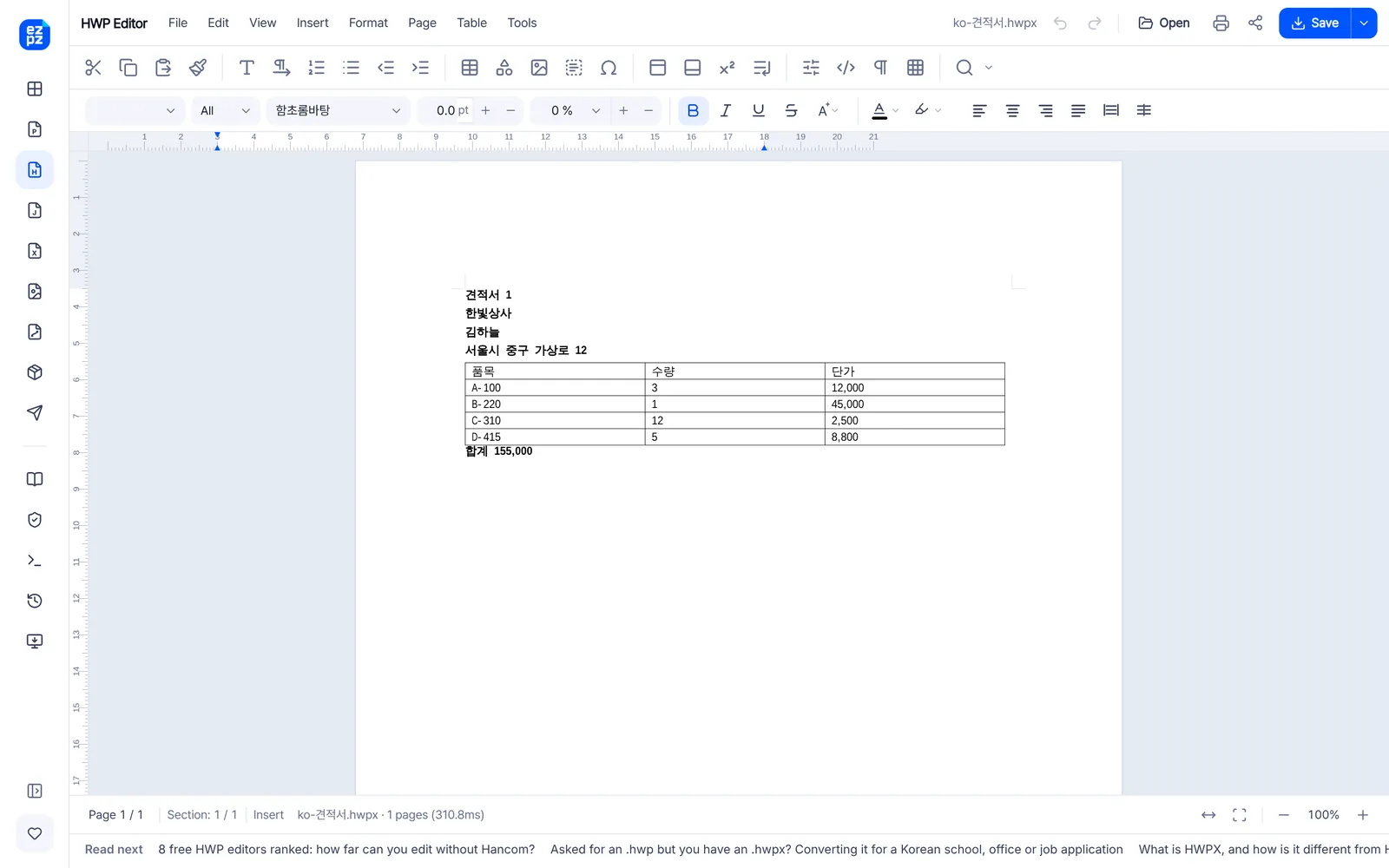
Open and edit an HWP or HWPX file on your computer
The editor opens HWP and HWPX in a desktop browser, lets you change text, tables, pictures and formatting, and saves as HWP, HWPX or PDF. It draws pages with the fonts on your computer, so the typeface can look different from what the sender sees in Hangul. Check tables and page breaks before you send anything official. We have only tested it on computers, so we do not recommend it on a phone.
The converter turns HWPX back into HWP 5.0 that Hangul 2007 and other older versions can open, with no Hancom Office on your side. It takes several files at once and asks for the password if a document has one.
All of these run inside your browser, and the file is not uploaded anywhere. That matters when the document came from a school, an office or an employer and is not yours to hand to a random conversion site. The other honest option is to ask the sender for a PDF, which is often quickest if you only need to read or print it.
If you only need a PDF, our step-by-step guide covers what carries over and what to check. If you are on a Mac, or you are dealing with forms from a Korean school, office or employer, there are separate guides for those situations.
How to convert HWPX to PDF (and why Word cannot open it)
How to open HWP and HWPX files on a Mac
Got an HWP file from a Korean office, school or employer? How to read it
Sending one back
If you have to return a document, send it in the format it came in unless you are told otherwise. Offices that have switched expect .hwpx back, while some older internal systems still accept only .hwp. Do not rename .hwpx to .hwp to get past an upload form: the name may pass, but the contents are still HWPX and the system on the other side will not be able to read them. Convert it properly instead.
Where HWPX falls short
- Hangul versions before 2010 cannot open it at all. This is the problem people hit most often.
- A few Hangul-specific features can come out looking different after a round trip between the two formats.
- The same document can be slightly larger, because XML carries its tags. The ZIP layer keeps the difference small.
- An open format is not the same as finished support. That HWPX can be implemented does not mean your word processor has implemented it.
Related reading
What is an HWP file, and how do you open it without Hancom?
How to open HWP and HWPX files on a Mac
Got an HWP file from a Korean office, school or employer? How to read it
How to convert HWPX to PDF (and why Word cannot open it)
Converting HWP to PDF without Hancom Office
8 free HWP editors ranked: how far can you edit without Hancom?
Asked for an .hwp but you have an .hwpx? Converting it for submission
Common questions
- Is an HWPX file a Hangul file?
- Yes. It is Hangul's newer file type, not a different program. A viewer that says it opens "HWP files" may still not handle HWPX, so check before installing anything.
- Can HWPX files be edited in Hangul like HWP?
- Yes. On Hangul 2014 VP or later, editing and saving work the same way. There is no reduced feature set.
- The file got bigger. Is that normal?
- XML carries tags, so the same content can take a little more room. The ZIP layer absorbs most of it, and documents with many images often end up about the same or smaller.
- Can Word or Google Docs open HWPX?
- Not with their built-in features. An open format still has to be implemented by each program.
- Is HWPX safer than HWP?
- Neither is more secure by design. HWPX is easier to inspect and to repair, because you can see what is inside it.
Last updated October 14, 2026 · Accurate as of September 2026. Version support follows Hancom's HWPX FAQ.

