How to tell if a Word file was made by ChatGPT
Ask ChatGPT to make your report as a Word file and the .docx you get back lists python-docx as its author and 2013 as its creation date. We checked a real file to see why, what changes when someone adds their name and saves it again, and what the file can and cannot tell you. None of this involves guessing from the writing.

In short
ChatGPT builds Word files with a Python library called python-docx. The file's author field says python-docx, the created date is 23 December 2013 (a fixed date in the python-docx template) and the description says generated by python-docx. Opening it in Word and saving it with your name usually leaves the author and created date as they were. This tells you a program built the file. It does not tell you who wrote the text.
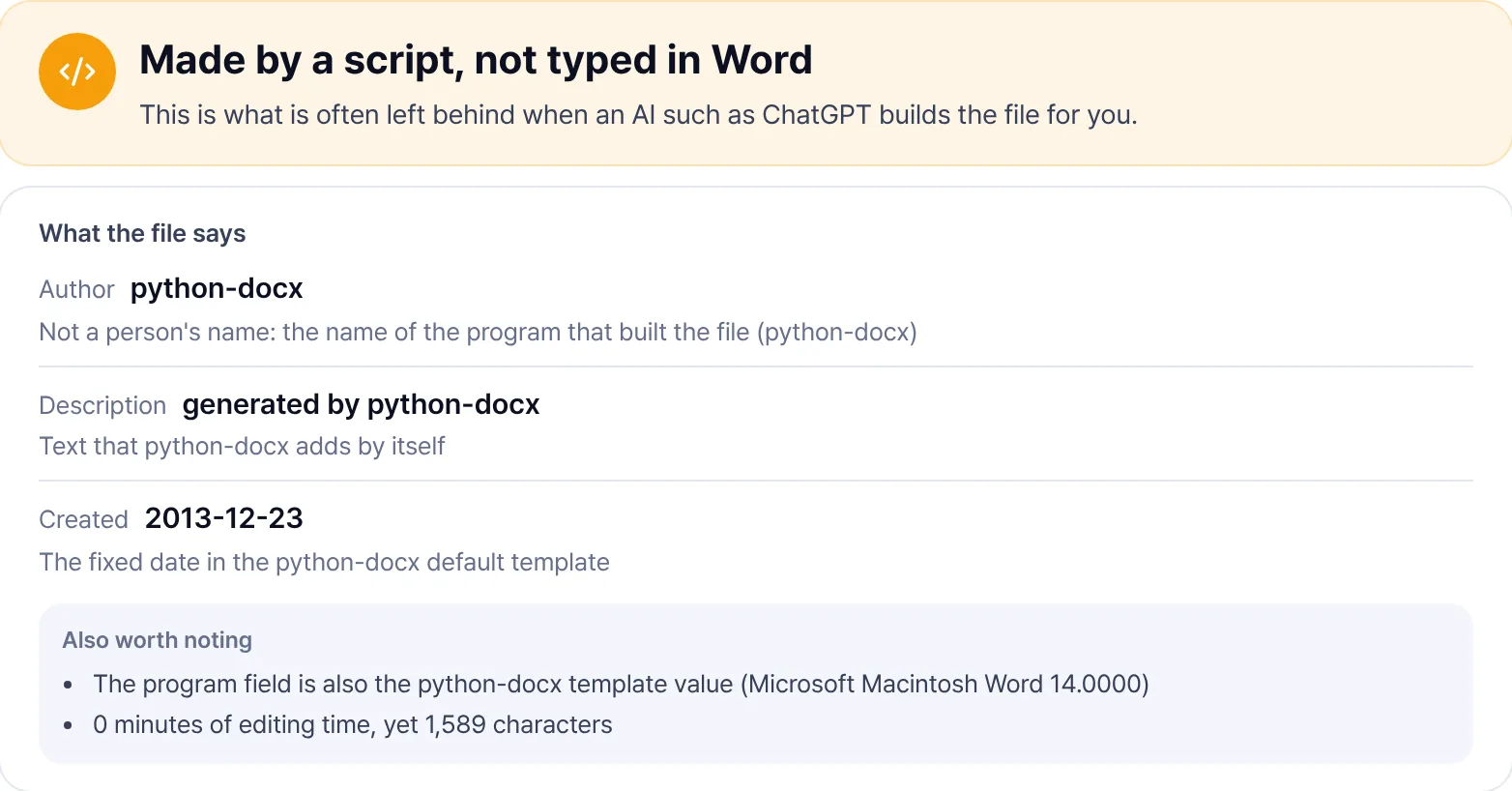
On 14 November 2026 we asked ChatGPT, in a temporary chat, to write a term paper as a Word file and opened the .docx it produced. Besides the text, a Word file stores document properties such as the author and dates. This is what they said.
What the file said
| Field | Value | What it means |
|---|---|---|
| Author | python-docx | The name of the Python library that built the file |
| Description | generated by python-docx | Text the library adds by itself |
| Created and modified | 2013-12-23 23:15 UTC | The fixed date in the python-docx template, years before ChatGPT existed |
| Revision | 1 | Never saved again |
| Total editing time | 0 minutes | Never opened and edited in Word |
| Application | Microsoft Macintosh Word 14.0000 | A value from the template; no Mac copy of Word was involved |
The 2013 date stands out. ChatGPT did not choose it: it comes from the blank template file shipped inside python-docx. Creating an empty document with the same library (version 1.2.0) gives the same author, description and date.
Why python-docx shows up
When you ask ChatGPT for a file, it runs Python code inside the conversation to build it. Word files are usually made with python-docx, and that library starts every new document from a copy of its own template. Unless the code fills in the author or dates, the template values stay.
So this trace is not unique to ChatGPT. Any program or automation that uses python-docx leaves the same values. What the trace really says is that the file was built by a program rather than typed into Word from scratch.
If someone adds their name and saves it
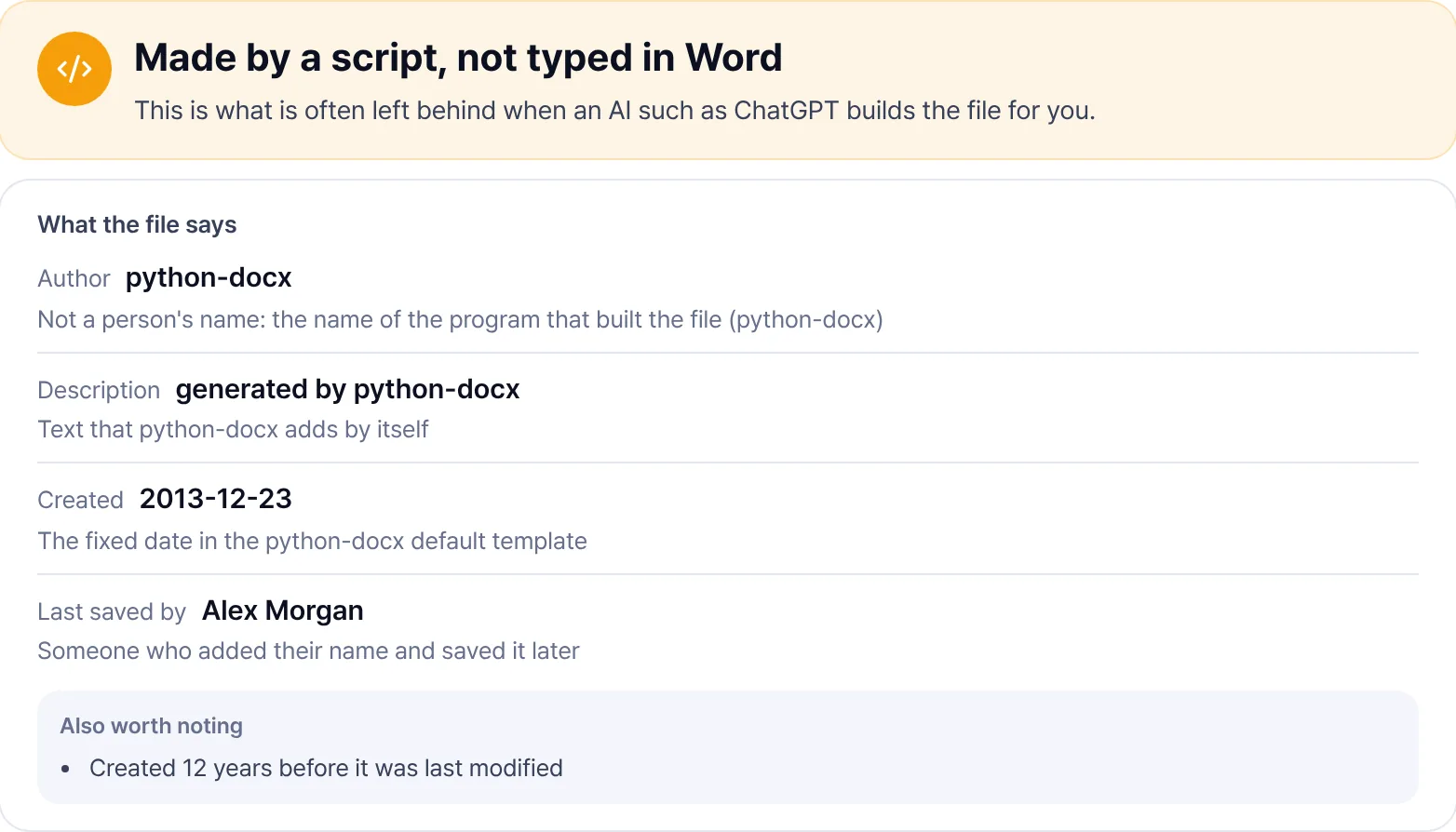
Open the file in Word, type a name and save, and the last saved by field takes that name while the modified date and revision count change. Word does not touch the author, created date or description when it saves. python-docx and the 2013 date stay, and the created date ends up more than ten years before the modified date.
What a file can and cannot tell you
- It can tell you which program first built the file, who saved it later, and when it was created and modified.
- It cannot tell you who wrote the text. Paste a ChatGPT answer into a new Word document and the author is your own name, with no python-docx trace at all.
- Anyone can edit or clear these fields. No traces does not mean a person wrote it, and a trace on its own does not prove misconduct.
How to check
In Word, open File, then Info, and look under Properties on the right for the author and last modified by. To read every field at once, drop the file into the AI Detector. It shows a one-line result with each piece of evidence underneath, and the file never leaves your browser.
Writing detectors such as GPTZero and Turnitin estimate how likely it is that AI wrote the text. File traces look at something else. Neither result is proof on its own, so it helps to keep drafts and version history that show how the work was written.
Frequently asked questions
- If the author is python-docx, was it written with ChatGPT?
- It means a program built the file. That is often what ChatGPT leaves when it makes a Word file, but any other program using the same library leaves the same values. It does not say who wrote the text.
- Why does the file say 2013?
- That is the date stored in the python-docx template, 23 December 2013 at 23:15 UTC. Apps that show local time may display 24 December in Asia.
- Can you tell if an image came from ChatGPT?
- ChatGPT images carry C2PA Content Credentials. If you have the original file, the AI Detector shows the AI label and checks the signature. Screenshots and messenger uploads usually strip it.
Last updated November 14, 2026