
Where 20-50 KB is required
The IBPS CRP PO/MT-XVI notification (2026) puts the photo and the left thumb impression in the same range. For the photo it says: "Dimensions 200 x 230 pixels (preferred). Size of file should be between 20kb-50 kb."
| Body | Document | Rule | Notice |
|---|---|---|---|
| IBPS | Photograph | 200 x 230 pixels (preferred), 20-50 KB | CRP PO/MT-XVI notification (2026), p.39-41 IBPS notices |
| IBPS | Left thumb impression | 240 x 240 pixels, 20-50 KB, jpg/jpeg | CRP PO/MT-XVI notification (2026), p.39-41 IBPS notices |
The same notice uses other ranges for the signature (10-20 KB) and the hand-written declaration (50-100 KB).
How to get between 20 and 50KB
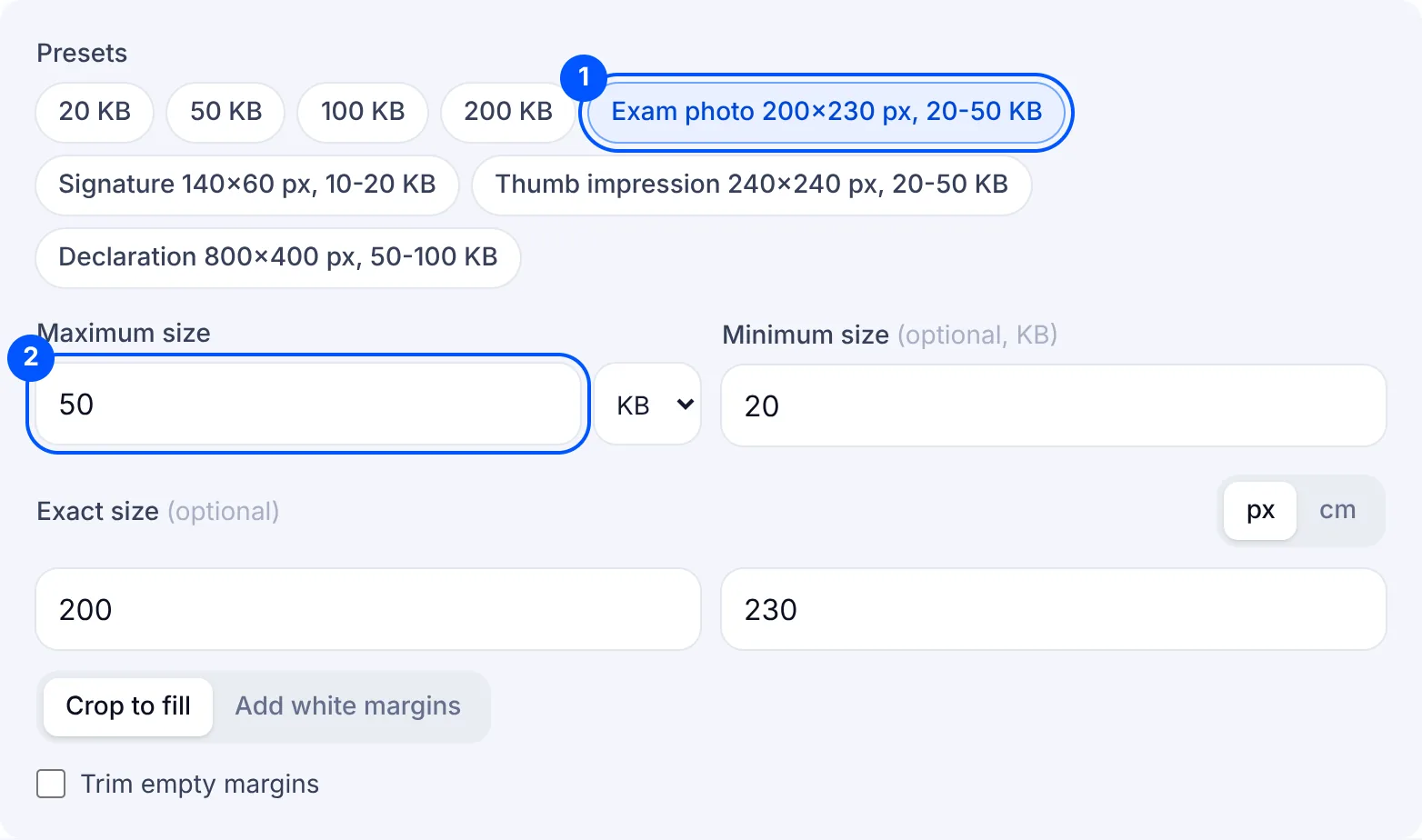
At 50 KB the danger is the floor. A photo squeezed by a tool that only aims for "small" can land well under 20 KB, and the portal refuses it. This page already has 20 in the minimum box, so the tool aims for the range and not just for a small file.
Tap "Exam photo 200x230 px, 20-50 KB" to set the IBPS pixel size. A portrait phone photo is taller for its width than 200 x 230, so the shapes differ. "Crop to fill" trims the top and bottom: check in the preview that your head and chin are still inside. "Add white margins" keeps the whole photo and adds white bands at the sides.
An image of 200 x 230 pixels is small, and a plain photo can stay under 20 KB even at 98% quality. The tool will not pad it with junk data to pass, so the card shows a yellow note and says so. The notice calls 200 x 230 "preferred" and states 20-50 KB as the file size. If the card cannot reach 20 KB at that pixel size, clearing the exact size lets the tool keep more pixels from your original until it does.
For the thumb impression, tap "Thumb impression 240x240 px, 20-50 KB". Press your inked left thumb on white paper, photograph it from straight above and turn on "Trim empty margins" so the print fills the square instead of sitting in a corner of the page.
The signature has its own page, signature resize, and the declaration fits the 100 KB page with the "Declaration 800x400 px, 50-100 KB" chip.
Why your file is still rejected
- It is under 20 KB. The tool counts the minimum as 1,024 bytes per KB, so 20 KB here means at least 20,480 bytes, and the maximum as 1,000, so it stays under 50,000 bytes. The file passes whichever way the portal counts.
- The photo went into the thumb impression box, or the other way round. Both take 20-50 KB, so the size check will not warn you about the mix-up.
- The pixel size differs from the notice. The card prints the final pixel size beside the KB: compare it with 200 x 230 for the photo or 240 x 240 for the thumb before you download.
- The thumb impression is a PNG or HEIC. The notice asks for jpg/jpeg, and everything this tool makes is a JPG.
- The head is cut off. "Crop to fill" removes the edges of a tall photo, so look at the preview before you save it.
