
Photo rules from official documents
Photo limits differ from one office to the next, which is why this page lets you type the numbers. Three examples:
| Body | Document | Rule | Notice |
|---|---|---|---|
| UPSC | Photo | jpg, 20-200 KB, file name "photo" | Instructions for photo and signature (4 February 2026) |
| NTA | Photograph (NEET UG) | JPG, 10-200 KB | NEET (UG) 2026 Information Bulletin (8 February 2026), p.15 |
| Passport Seva | Photo | 630 x 810 pixels, colour. No file size limit in the document | ICAO photo guidelines (22 August 2025) |
The UPSC wording: "Upload a photo named photo in jpg format with a file size between 20KB and 200KB." The Passport Seva guidelines set the pixel size and colour, not a file size.
How to reach the size you typed
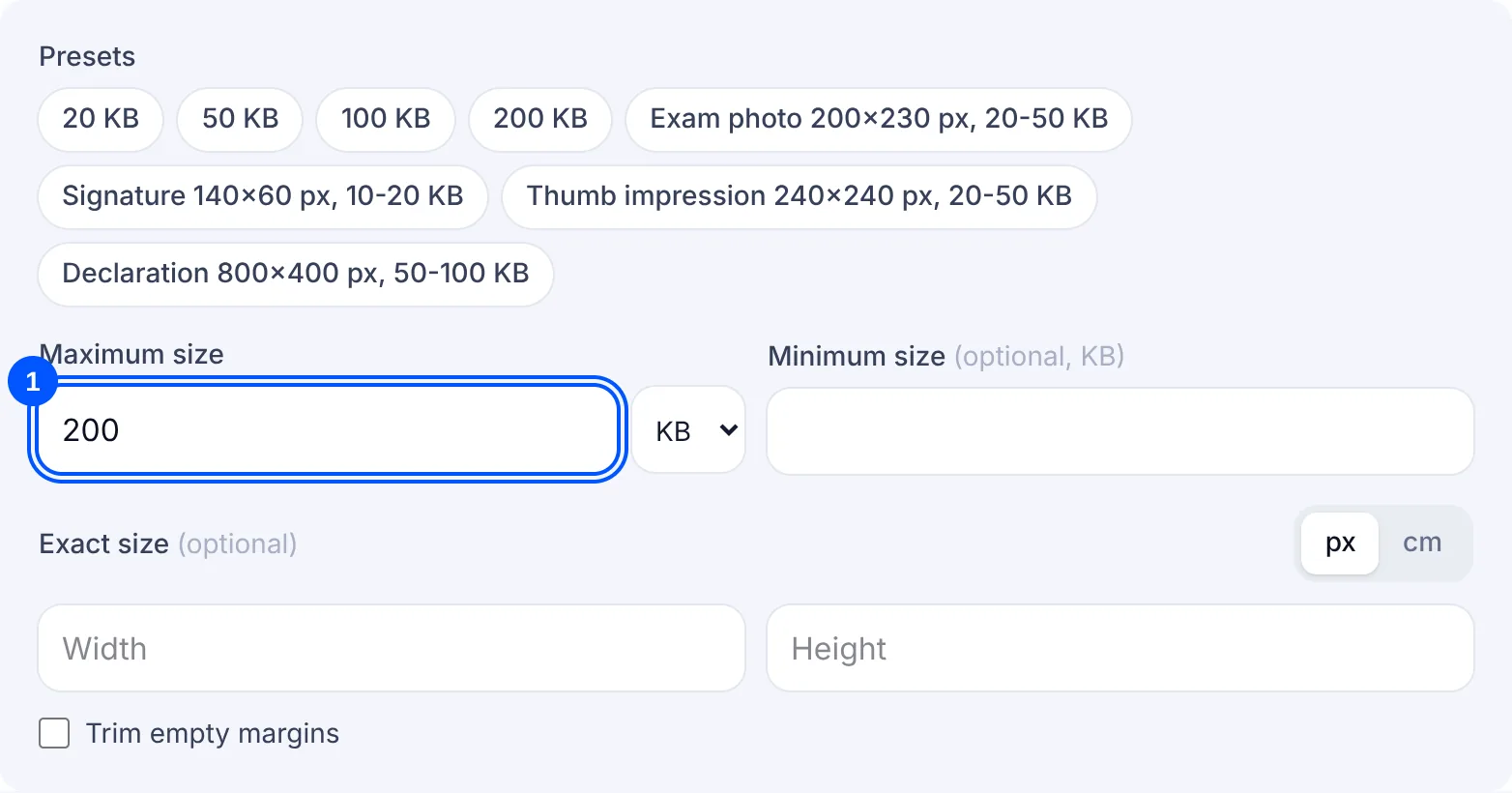
Only the maximum is required. If the form gives a range, such as 20-200 KB for the UPSC photo, type the lower number as the minimum as well. Without it, the tool only makes sure the file is not too big.
A full phone photo usually does not fit in 200 KB even at 30% quality, so the tool lowers the pixel size step by step, stopping as soon as the file fits and never going below 100 px on the short side. The photo stays as large as your limit allows.
When a document names a pixel size, type it in the exact size boxes. The Passport Seva ICAO photo guidelines (22 August 2025) ask for 630 x 810 pixels in colour and give no KB limit. If the screen you are filling in shows a limit, type that as the maximum. With an exact size set, the tool will not shrink the pixels to fit; it warns you instead.
For the usual targets there are ready pages: 20 KB, 50 KB, 100 KB and signature resize. For a PDF, use compress PDF to a size. If you only want a lighter photo with no target in mind, image compress is simpler.
Why your file is still rejected
- The file name is wrong. The UPSC instructions ask for the photo file to be named "photo".
- It is under the minimum: 20 KB for the UPSC photo, 10 KB for the NEET photograph. Type that number in the minimum box so the tool guards it.
- The passport photo does not match the guidelines: colour, 630 x 810 pixels. The result card shows the pixel size, so set the exact size if it differs.
- The unit was wrong. 200 typed with MB selected is a very different target from 200 KB, so check the unit beside the box.
- The portal counts KB its own way. The tool reads your maximum as 1,000 bytes per KB and your minimum as 1,024, so 200 KB becomes under 200,000 bytes and the file fits either way of counting.
